
- 1 ratings
- 4.0
- Monthly users
- 767K
- Pricing
- Subscription
- Platform
- Web App
Overview
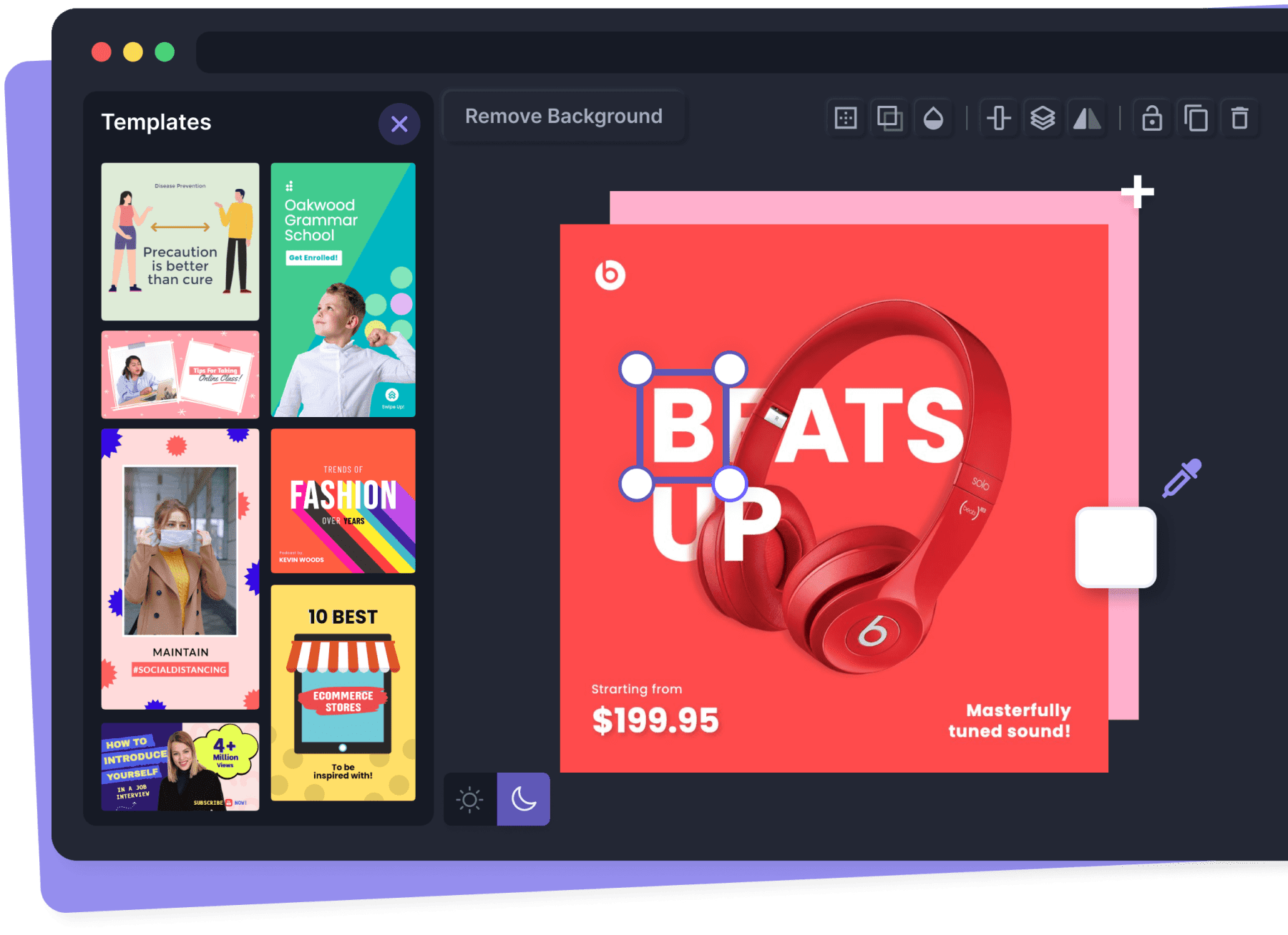
Pixelied is a free, browser-based graphic design suite and photo editor with templates, stock photos, icons, and mockups, offering tools like background removal, AI-enhanced editing, and brand workspaces for creating social media, marketing, and e-commerce visuals.
Design Made Easy
Rate this Tool
About Pixelied
“Design Made Easy”
Pixelied Snapshot
Key facts we track so you can judge fit before visiting the provider.
- Primary category
- Design
- Best fit
- Content Creators, Graphic Designers, Marketing Professionals +3 more
- Platforms
- Web App
- Pricing signal
- Subscription
- Provider context
- Pixelied - US
- Developer access
- JavaScript/TypeScript
- Data handling
- Global hosting, Privacy policy linked
- Evidence signals
- 767K monthly visits, 4.0 rating from 1 ratings, 11 community favorites +1 more
Before you choose Pixelied
- Confirm Pixelied's current limits, renewal terms, and seat pricing on the official site.
- Review privacy, retention, and data-processing terms before using sensitive data.
- Run a small pilot with your real workflow before adopting it as a core tool.
- Make sure the supported platform matches where your team actually works.
What to verify
- Integration depth is unclear; test import/export, API access, or workflow handoff before relying on it.
Listing data is compiled from structured provider information, public signals, submissions, and periodic checks where available. Treat this page as a shortlist aid, then verify pricing, compliance, and product limits with the provider before making a business-critical decision.
How Pixelied Works
Understanding the core functionality and approach of Pixelied.
Visual design in Pixelied combines AI assistance with traditional design tools. Create layouts, illustrations, and UI components faster than manual workflows allow. Export assets in multiple formats for web, print, and social media channels.
Key Features
Explore what makes Pixelied stand out.
Real-time design collaboration
Multiple team members work on the same canvas simultaneously with live cursors and comments. Designed with Web App as the primary platform.
SDKs to accelerate build-out
Official SDKs handle authentication, retries, and error handling automatically.
Campaign coordination
Campaigns stay on schedule with shared views of content, distribution, and performance. Pixelied can support marketing operations when creative, distribution, and analytics data are connected.
Use Cases
Discover how different audiences leverage Pixelied.
Move creative workflows forward
Content Creators rely on Pixelied to keep content volume high—templates, collaboration, and AI help hit deadlines without extra headcount.
FAQ about Pixelied
What is Pixelied and what does it do?
How much does Pixelied cost?
Is Pixelied secure and compliant with data privacy regulations?
What platforms does Pixelied support?
What file formats does Pixelied support?
Who develops and maintains Pixelied?
How do I get access to Pixelied?
How is usage measured and billed in Pixelied?
What deployment options does Pixelied offer?
Who is Pixelied best suited for?
Related AI News & Insights
Stay updated with the latest news and insights about Pixelied and the AI industry.
OpenAI Images 2.6: ChatGPT Now Generates Animated GIFs, Plus Faster Image Creation & New API Models
OpenAI's GPT-6 Astra Designs Working Hardware in Under a Week: Implications for AI Product Development
Compare Similar Tools
See how Pixelied stacks up against similar alternatives in the market.

Adobe Photoshop
Create, edit, and design with industry-leading AI-powered image innovation.


Keep Pixelied's listing accurate
Providers can update product facts, pricing context, screenshots, and launch notes. Paid placements are labeled separately and do not replace editorial or data-quality review.
How to Evaluate Pixelied
Compare Pixelied with Adobe Photoshop, Pixlr and other alternatives before you decide. The goal is not to pick the most popular product; it is to find the tool that fits your actual workflow, risk level, and budget.
- Step 1Test Pixelied with one real workflow before moving important work into it.
- Step 2Model the full monthly cost at your expected usage, including seats, limits, and overages.
- Step 3Verify the integration path with your existing stack before you commit.
- Step 4Review privacy, retention, and compliance terms before using sensitive data.
For developer teams, inspect the JavaScript/TypeScript SDK. For broader context, browse more design tools for content creators, or compare this page against the category hub. New to AI tool evaluation? Start with AI Tool Navigator.
Share Pixelied
Know someone who would find it useful? Send it along.
Report an Issue
Something wrong or missing about Pixelied? Tell us and we will look into it.
Need a tool shortlist for a real business use case?
Get a structured 3-5 tool recommendation, pricing comparison, and implementation roadmap for your team.