AI Tools for Writers
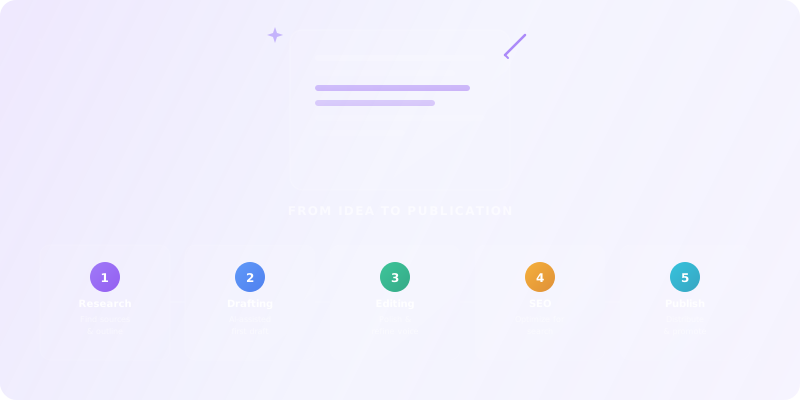
From Idea to Publication
TL;DR:
AI can make you a faster, more consistent writer — but only if you use it as a collaborator, not a replacement. This guide gives you a 5-layer writing stack (research → outline → draft → edit → publish), prompt templates for every phase, and a clear ethics framework so you never lose your authentic voice. Each module includes hands-on labs you can apply to your next article.

Academy review: October 5, 2026
Model names and capabilities change frequently. We use provider families (GPT, Claude, Gemini) in Academy copy — verify current tiers on provider sites or our LLM Model Family Guide.
For live model picks, cross-check with our Free vs Paid guide.
What's different for this role in 2026
Readers and publishers spot generic AI voice faster in 2026. Use models for structure, research synthesis, and variants — keep final voice, facts, and accountability human.
Stack snapshot (verify names & pricing before you buy)
Drafting & editing
GPT, Claude Sonnet, Gemini Flash / Pro; Sudowrite, NovelAI for fiction
Grammar & style
Grammarly, ProWritingAid, Hemingway Editor
Research
Perplexity, Elicit, NotebookLM for source-grounded notes
Publishing ops
Notion AI, Descript (scripts), Canva for covers
Pitfalls to avoid in 2026
- Submitting AI drafts without disclosure where required
- Factual errors in historical or technical writing
- Homogeneous “AI voice” across chapters or client work
Tool rankings change monthly — compare live options in our tool explorer or Free vs Paid guide.
Where this course fits
This guide: Writers & AI
Fiction, nonfiction, blogging, and freelance workflows with clear human-in-the-loop steps.
Learn first (we do not repeat this here)
Go deeper after this course
- AI Critical Thinking — Evaluate claims, sources, and tool limits before you publish.
Who this guide is for
This guide is for bloggers, content marketers, copywriters, authors, and journalists who want to write faster, research deeper, and publish more consistently using AI — while maintaining quality and originality.
Prerequisites: Regular writing practice (blog posts, emails, social content), basic understanding of SEO and content structure. No technical background required.
Bloggers & Authors
Content Marketers
Copywriters & Journalists
What you'll learn
AI for Research
Deep research, source synthesis, and fact-checking with semantic search tools.
AI for Drafting
Generate structured first drafts faster without losing your voice.
AI for Editing
Multi-pass editing for grammar, style, readability, and SEO optimization.
AI for Publishing
Headlines, social posts, email subjects, and content repurposing at scale.
Voice & Ethics
Maintain your authentic voice and use AI transparently and responsibly.
Stack Design
Build a 5-layer AI writing stack tailored to your content type and workflow.
Building Your AI Writing Stack
Writing stack — 2026 depth note
Readers spot generic AI voice faster in 2026. Stack models for structure and research synthesis; keep final voice, accountability, and fact-checking human. Disclosure policies vary by publisher — know yours before you submit.
- Separate tools: research (Perplexity, Elicit), draft (frontier LLM), polish (Grammarly/ProWritingAid).
- Build a personal style sheet (tone, taboos, citation format) and paste it into every long-form prompt.
- Never submit raw model output where originality or disclosure is required.
What AI actually changes for writers
AI tools like LLMs (e.g. ChatGPT, Claude Sonnet, Gemini), generative AI writing assistants, and semantic search engines are reshaping every phase of the writing process. If these terms are new to you, our AI Fundamentals course explains them in plain language.
✅ What AI enables
- Fast first-pass research synthesis across many sources (verify every claim)
- Structured outlines in 5 minutes
- AI feedback on structure, clarity, and engagement
- SEO-optimized headlines and meta descriptions
- Content repurposing across formats at scale
⚠️ The risks
- Generic "AI voice" that sounds robotic
- Hallucinations — invented facts and citations
- SEO penalties for low-quality AI spam
- Loss of personal voice and authority
- Reader fatigue from AI-generated content
The 5-layer writer AI stack
1. Research & discovery
Deep research, source synthesis, and fact-checking.
2. Outlining & planning
Structure, headlines, and content architecture.
3. Drafting & generation
First drafts, sections, and content variations.
5. Publishing & distribution
SEO meta, social headlines, email subjects, and repurposing.
Exercise 1 — Your Writing Workflow Map
For your current writing project, list:
- 3 biggest time sinks (e.g. "research", "outlining", "editing", "SEO")
- For each, decide: "Automate" (AI generates first pass), "Augment" (AI assists, you own it), or "Do manually" (personal stories, unique insights)
AI for Research & Content Planning
Research & planning — 2026 depth note
Cite-first research beats “sounds right” summaries. Use grounded tools with sources, then verify primary documents yourself — especially for historical, medical, or technical writing.
- Ask for sources with dates; reject answers without clickable references.
- Use NotebookLM or similar for synthesis over PDFs you already trust.
- Specify “post-2025 literature preferred” when timeliness matters.
AI research tools (better than Google)
Semantic search tools find sources by meaning, not just keywords. They synthesize information from multiple sources and provide cited answers you can verify.
- Perplexity — cited answers with follow-up questions, great for quick research
- Elicit, Consensus — academic papers and systematic reviews for deep research
- Semantic Scholar — citation networks and paper discovery
Compare research tools in Search & Discovery and Scientific Research.
Anti-hallucination research workflow
AI can invent facts, statistics, and citations. Protect your credibility with a verification workflow:
- Always check sources — AI tools should link to originals
- Cross-reference — 2–3 sources minimum for any claim
- Date awareness — specify a date range such as "findings from the last 24 months" in prompts
- Primary sources — go to original studies, not summaries
Prompt Template — Research Deep Dive
"Research [topic] for a [audience] article: Find 5–10 recent, credible sources (from the last two years preferred). For each source: key finding, methodology, limitations. Synthesize: What do we know? What are the debates/gaps? Flag anything controversial or needing verification. Cite all sources with URLs."
Content planning with AI
Generate structured outlines 5x faster. Instead of staring at a blank page, start with an AI-generated structure and refine it with your expertise and unique angle.
Prompt Template — Article Outline
"Create a detailed outline for a [word count] article on [topic]: Target audience: [who]. Goal: [educate, persuade, sell]. Structure: Hook (question, stat, story) → Problem/need → Solution (3–5 main points) → Case studies/examples → Action steps → FAQ. Include: 3–5 SEO keywords to target, estimated word count per section, suggested subheadings."
Lab 2 — Research Brief for One Article
- Pick a writing topic
- Use tools from Search & Discovery to create a research brief (10+ sources)
- Generate an outline using Conversational AI
- Verify 3 key claims manually
AI for Drafting & First Drafts
Drafting — 2026 depth note
First drafts are scaffolding. Prompt for outlines and section beats, then rewrite openings and transitions yourself — that is where voice lives.
- Constraint prompts: word count, POV, reading level, and three must-include examples.
- Generate three headline options; pick one and manually align the lede.
- For fiction, use AI for beat sheets and dialogue variants — not final prose wholesale.
Structured draft generation
The key to effective AI drafting is the 80/20 approach: AI does 80% of the structural work (research integration, basic flow, section scaffolding), and you do the 20% that makes it yours (personal voice, stories, unique insights).
Instead of asking AI to "write an entire article," work section by section:
- "Write the hook paragraph"
- "Write section 2: The problem (800 words)"
- "Write 3 case studies with examples"
Compare drafting tools in Writing & Translation and Conversational AI.
Voice-preserving prompts
The biggest risk with AI drafting is losing your voice. The solution: train AI on your style by providing writing samples in your prompts. For a deeper dive into prompt techniques like few-shot and chain-of-thought, see our Prompt Patterns Cheat Sheet.
Prompt Template — Voice-Preserving Draft
"Write in my style based on these examples: [PASTE 2–3 PARAGRAPHS OF YOUR WRITING]. Now write [section] for [topic]: Same tone and voice. Same sentence length patterns. Same vocabulary and phrasing style. Include my typical storytelling approach."
Prompt Template — Section Draft
"Write [section title] for my [article type] on [topic]: Opening hook for this section. Main point 1 with example. Main point 2 with data. Main point 3 with story. Transition to next section. Voice: [describe or paste sample]. Length: [word count]. Include: [specific research quotes, stats, examples]."
Lab 3 — Generate First Draft Sections
- Use the outline from Lab 2
- Generate 3 key sections using Conversational AI or Writing & Translation
- Rewrite one section completely in your voice
- Compare: time saved vs. quality
AI for Editing & SEO Optimization
Editing & SEO — 2026 depth note
Editing AI is a distinct skill: cut redundancy, fix hedging, and replace “delve”-style filler. For SEO, pair entity coverage tools with human judgment on what readers actually need.
- Run a “remove AI tells” pass: shorter sentences, concrete verbs, specific names.
- Check every number, date, and quote against a primary source.
- Keep author bylines and expertise signals — E-E-A-T still matters for rankings.
Multi-pass AI editing
Professional editing isn't one pass — it's layered. Use AI for each layer:
Pass 1: Grammar & style
Grammarly, ProWritingAid — catches errors, improves clarity.
Pass 2: Readability
Hemingway App — sentence length, passive voice, reading level.
Pass 3: SEO optimization
SurferSEO, Frase, Clearscope — keyword coverage, entity optimization.
Pass 4: Final human review
Your voice, your judgment — the final quality gate.
Compare editing tools in Writing & Translation.
SEO optimization with AI
Modern SEO is about semantic coverage, not keyword stuffing. AI SEO tools analyze top-ranking content and tell you which entities, subtopics, and questions to cover.
Prompt Template — SEO Optimization
"Optimize this draft for SEO targeting [primary keyword]: Ensure primary keyword in H1, first paragraph, conclusion. Add 3–5 LSI keywords naturally. Improve headings for featured snippets. Check readability (Flesch 60+, sentences under 25 words avg). Add internal/external links where appropriate."
Engagement & readability analysis
Prompt Template — Engagement Analysis
"Analyze this draft for engagement: Flesch Reading Ease (target 60–70). Sentence variety (mix short/long). Paragraph length (3–5 sentences max). Active vs. passive voice ratio. Transition quality between sections. Call-to-action strength. Give specific line-by-line suggestions."
Lab 4 — Triple-Pass Editing
- Take the draft from Lab 3
- Grammar/style pass with tools from Writing & Translation
- SEO optimization pass
- Engagement/readability pass
- Final human polish — document improvements and time saved
AI for Publishing & Distribution
Publishing — 2026 depth note
Distribution AI helps with newsletters, social threads, and metadata — not with strategic positioning. Batch repurposing saves time if you maintain one canonical article per topic.
- Repurpose long-form into channel-specific formats with explicit length caps.
- Human reviews alt text, disclosures, and affiliate disclaimers before publish.
- Archive prompts and versions if your client or publisher audits AI use.
Headline & title generation
Headlines determine whether anyone reads your content. Use AI to generate 15+ variations and pick the best — mixing question headlines, numbered lists, how-to formats, and curiosity gaps.
Prompt Template — Headline Generator
"Generate 15 headline variations for this article: Article summary: [200-word summary]. Target audience: [who]. Goal: [clicks, shares, conversions]. Mix: Question headlines (4), Numbered lists (4), How-to (3), Ultimate/Best/Complete (2), Curiosity gap (2). Include emotional triggers, power words, and SEO keywords."
Social media & content repurposing
One article can become a Twitter thread, LinkedIn post, newsletter edition, and short video script. AI handles the format transformation; you own the decisions about which channels matter.
Prompt Template — Thread Generator
"Turn this article into a 10-tweet thread: Hook tweet. Key points with quotes/images (tweets 2–8). Summary + value recap (tweet 9). CTA + link (tweet 10). Each tweet: 280 chars max, emoji, thread numbering."
Prompt Template — Newsletter Adaptation
"Adapt this article for a [newsletter name] audience: Shorten to 800 words max. Add personal intro/outro. Include 2–3 discussion questions. Optimize for mobile reading."
Publishing automation
Use tools from Productivity & Collaboration to automate the last mile: generate SEO meta descriptions, alt text for images, social previews, and content calendars. Connect your writing tools to your CMS via automation platforms.
Lab 5 — Complete Publishing Package
- Generate 15 headlines, pick top 3
- Create a Twitter thread, LinkedIn post, and newsletter version
- Generate SEO meta description and alt text for images
- Set up a publishing automation workflow (if possible)
Capstone — AI-Augmented Writing Project
Write and publish one complete piece end-to-end using AI at every phase. This pulls together everything from Modules 1–5.
Deliverables
1. AI Stack Plan
Tools for each writing phase — with rationale (Module 1).
2. Research Brief
10+ sources using Search & Discovery (Module 2).
3. Structured First Draft
Generated with Conversational AI tools (Module 3).
4. Polished Final Version
Triple-edited with Writing & Translation tools (Module 4).
5. Publishing Package
Headlines, social posts, SEO meta, and distribution plan (Module 5).
Checklist — Capstone Completion
- All 5 deliverables completed
- AI use documented at every phase
- All facts and citations verified
- Final version reflects your authentic voice
- Publishing package ready for distribution
Recommended AI tools for writers
These tools are clustered by writing phase. Start with one tool per phase and expand only when you hit a clear bottleneck. You can always browse the full directory of AI tools for content creators when you want to go broader.
Research & discovery tools
Semantic search, source synthesis, fact-checking, and citation management.
Google Gemini
Your everyday Google AI assistant for creativity, research, and productivity
Perplexity
Clear answers from reliable sources, powered by AI.
Claude
Your trusted AI collaborator for coding, research, productivity, and enterprise challenges
Grok
Your cosmic AI guide for real-time discovery and creation
Notion AI
The all-in-one AI workspace that takes notes, searches apps, and builds workflows where you work.
Gemini Notebook
Turn complexity into clarity with your AI-powered research and thinking partner
Writing & drafting tools
Content generation, copywriting, long-form drafting, and AI writing assistants.
Google Gemini
Your everyday Google AI assistant for creativity, research, and productivity
ChatGPT
AI research, productivity, and conversation—smarter thinking, deeper insights.
Perplexity
Clear answers from reliable sources, powered by AI.
Claude
Your trusted AI collaborator for coding, research, productivity, and enterprise challenges
DeepL
The world’s most accurate AI translator
Grok
Your cosmic AI guide for real-time discovery and creation
Editing & SEO tools
Grammar checking, style improvement, readability analysis, and SEO optimization.
Magnific
Generate on-brand AI images from text, sketches, or photos—fast, realistic, and ready for commercial use.
Adobe Photoshop
Create, edit, and design with industry-leading AI-powered image innovation.
DeepL
The world’s most accurate AI translator
Canva Magic Studio
All the AI magic of Canva, in one place.
Leonardo.Ai
Create production-ready visuals with AI-powered creativity
Notion AI
The all-in-one AI workspace that takes notes, searches apps, and builds workflows where you work.
Publishing & distribution tools
Social media, newsletters, content repurposing, and CMS automation.
Google Gemini
Your everyday Google AI assistant for creativity, research, and productivity
ChatGPT
AI research, productivity, and conversation—smarter thinking, deeper insights.
Perplexity
Clear answers from reliable sources, powered by AI.
Claude
Your trusted AI collaborator for coding, research, productivity, and enterprise challenges
OpenClaw AI Agent
The AI that actually does things.
Canva Magic Studio
All the AI magic of Canva, in one place.
FAQ for writers using AI
Will Google penalize AI-generated content?
Google rewards helpful content regardless of how it was produced. But "helpful" means original insights, real expertise, and genuine value — not regurgitated text. Use AI for structure and research; add your own data, opinions, and examples to make it rank. Low-quality AI spam will be penalized.
How do I maintain my voice when using AI?
Two techniques: train AI on your style by providing writing samples in prompts, and always do a final rewrite pass where you inject your personality, stories, and opinions. AI should generate the skeleton; you add the soul. For the ethical side of AI-assisted writing, see our AI Thinking course.
Can AI replace professional writers?
AI amplifies writers — it doesn't replace them. In a preregistered experiment with 453 college-educated professionals, those who used ChatGPT finished incentivized writing tasks about 40% faster and their work was rated about 18% higher in quality (Noy & Zhang, Science, 2023). Gains vary by task and skill level, so measure them on your own work. Original thinking, storytelling, brand voice, and editorial judgment remain human strengths. Treat AI as a force multiplier.
How much should I budget for AI writing tools?
Start with $20–50/month covering one AI assistant (ChatGPT Plus and Claude Pro are $20 per month each; Claude Pro is $17 per month billed annually) and one editing tool (Grammarly Pro costs roughly $12–30 per month depending on billing and region). Add an SEO tool (roughly $40–130/month for Frase, Surfer or Clearscope, which list different plans) when you're publishing regularly. Prices change, so check the Claude and ChatGPT plan pages. If a tool doesn't save you at least 5 hours per month or measurably improve your content, cancel it.
AI WRITING WORKFLOW — VOICE PRESERVATION
==========================================

Before using AI:
□ Define your voice in 3 adjectives: ___, ___, ___
□ Save 3 paragraphs of your best writing as a "voice reference"
□ Identify which stage needs help: [research / outline / draft / edit / polish]

During AI use:
□ Feed your voice reference to the AI before asking for output
□ Use AI for structure and ideas, not final prose
□ Never accept AI output verbatim — always rewrite in your voice
□ Check for: generic phrases, passive voice, clichés the AI loves

After AI use:
□ Read the final piece aloud — does it sound like YOU?
□ Remove any sentence you couldn't have written yourself
□ Verify all facts, quotes, and statistics independently
□ Run a "voice diff": compare to your reference paragraphs

Red flags that AI wrote it:
- "In today's fast-paced world..."
- "It's important to note that..."
- "This complete guide..."
- Perfectly balanced paragraphs with no personality
- Lists of exactly 5 items with parallel structure
The AI voice preservation test
- 1Write a 150-word paragraph about a topic you care about. This is your voice baseline. Browse Writing AI Tools
- 2Ask an AI to write 150 words on the same topic. Compare: What's different about tone, word choice, sentence rhythm, and personality?
- 3Now ask the AI to rewrite YOUR paragraph "in a more polished style." Did it improve or flatten your voice?
- 4Try the reverse: Take the AI's paragraph and rewrite it in your voice. Which version is better? Why?
- 5Create your personal "AI writing rules" — 3 things AI can help with and 3 things you'll always do yourself.
Popular AI tools for writers
Explore top-rated AI tools that writers rely on for research, drafting, editing, and publishing.
Google Gemini
Your everyday Google AI assistant for creativity, research, and productivity
ChatGPT
AI research, productivity, and conversation—smarter thinking, deeper insights.
Perplexity
Clear answers from reliable sources, powered by AI.
Claude
Your trusted AI collaborator for coding, research, productivity, and enterprise challenges
OpenClaw AI Agent
The AI that actually does things.
Magnific
Generate on-brand AI images from text, sketches, or photos—fast, realistic, and ready for commercial use.
Ready to Apply What You Learned?
AI Tools for Marketers
Take your writing skills further with AI-powered marketing across SEO, content, ads, and analytics.
Start LearningTest Your Knowledge
Complete this quiz to test your understanding of building an AI-augmented writing workflow.
Loading quiz...
Key Insights: What You've Learned
AI is a collaborator, not a replacement — use it for the 80% structural work and add the 20% that makes it yours.
Build a 5-layer writing stack (research → outline → draft → edit → publish) and start with one tool per layer.
Every AI-generated fact must be verified, every draft must be rewritten in your voice, and every piece must reflect your authentic expertise.
Risks & Responsible Use
Know these before you go further.
Workflow Mismatch
Role guides recommend patterns that fit average cases — your stack, compliance, and language may differ.
What this means for you
Pilot one workflow for a week before rolling tools to the whole team.
Vendor Churn
AI tool landscapes shift monthly; pricing, limits, and data policies change without warning.
What this means for you
Bookmark alternatives and set calendar reminders to re-evaluate quarterly.
Quality Drift
Model updates behind the same UI can change tone, accuracy, or refusal behavior overnight.
What this means for you
Keep golden test prompts and alert when outputs shift materially.
Undisclosed AI in Deliverables
Clients, employers, and platforms increasingly require transparency about AI assistance.
What this means for you
Know disclosure rules for your industry before shipping AI-assisted work.