Become an AI Tool Navigator
Master Search, Filters & Comparison
TL;DR:
Master search, filters, and comparison tools to find the perfect AI solution: use specific keywords, combine category/pricing/platform filters, leverage tags for granular targeting, and compare side-by-side to make informed decisions fast.

Academy review: October 6, 2026
Model names and capabilities change frequently. We use provider families (GPT, Claude, Gemini) in Academy copy — verify current tiers on provider sites or our LLM Model Family Guide.
For live model picks, cross-check with our Free vs Paid guide.
October 2026 workflow note: search first, filter second, compare only after you have a shortlist
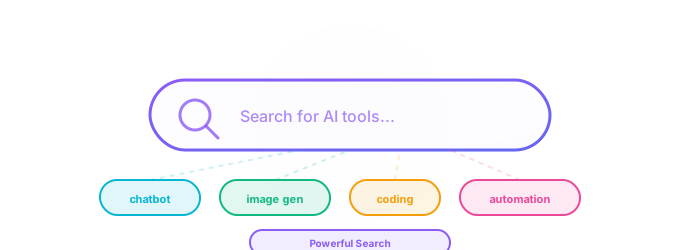
The cleanest discovery path is now: define the task in one sentence, search with task-specific language, narrow with category/pricing/platform filters, shortlist three to four candidates, then use Compare to inspect trade-offs side by side.
Avoid starting with brand names unless you already know the category. The goal is to find the tool that matches your workflow, budget, data-sensitivity level, and verification needs — not the tool with the loudest launch.
Finding tools in 2026 — search, filters, and compare
Our navigator now supports hybrid search, richer filters, and side-by-side compare. The skill that matters most: define your job-to-be-done before you touch filters — otherwise you will drown in 500+ listings.
What we updated for 2026
- Hybrid search blends keyword match with semantic similarity — try natural-language queries (“local LLM for code review”).
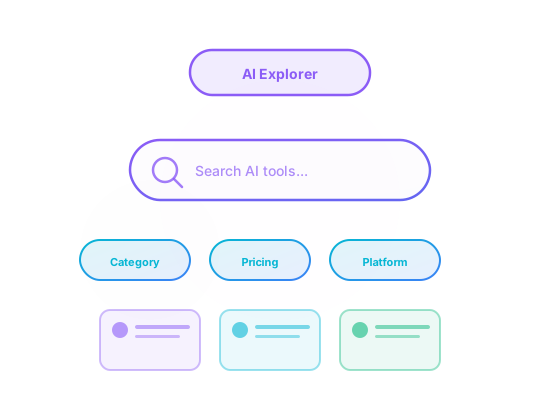
- Filter by pricing, platform, and category together; save compare sets for team decisions.
- Use audience tags (e.g. developers, marketers) to narrow role-specific stacks quickly.
- Cross-check any “top” list against your compliance needs (EU hosting, SOC2, on-prem).
Still true in 2026
- Upvotes reflect community interest, not independent benchmarks — always trial before you buy.
- NSFW and enterprise tools are filtered on Academy pages; adjust filters on the main explorer if needed.
Compare live tools anytime in our tool explorer.
Where this course fits
This guide: Tool discovery
How to search, filter, and compare on Best-AI.org — not a catalog dump.
Learn first (we do not repeat this here)
Go deeper after this course
- Free vs Paid — Budget framing after you shortlist tools.
- LLM Comparison — When your shortlist is mostly chat models.
Learning Outcomes
- Use categories, pricing, platform, and tags to precisely find tools.
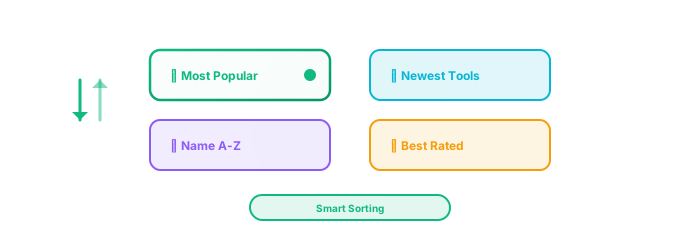
- Apply smart sorting and shortlisting strategies.
- Create side-by-side comparisons focused on your criteria.
- Build a repeatable discovery workflow for new needs.
Prerequisites
- Basic idea of what task you want to solve.
- Optional: skim our AI Glossary for key terms.
Course Outline
- Search fundamentals and query tactics
- Filters deep dive (Category, Pricing, Platform)
- Using Tags for granular capability targeting
- Sorting strategies and shortlisting
- Comparison table and decision checklist
Loading interactive guide...
Discovery prompt — 2026 depth note
Copy the template — replace placeholders every time; add compliance must-haves explicitly.
- Paste into any LLM to structure research.
- Require limitations column in output.
- Cross-check results on our explorer.
I need an AI tool for [YOUR USE CASE]. Help me evaluate options.

Requirements:
- Task: [e.g. writing blog posts, generating images, analyzing data]
- Budget: [free / under $20/mo / enterprise]
- Platform: [web / desktop / mobile / API]
- Must-have features: [list 2-3 key features]

For each recommendation, provide:
1. Tool name and pricing model
2. Key strengths for my use case
3. Main limitation or trade-off
4. Best alternative if this tool doesn't fit

Compare the top 3 options in a table.
Start Your AI Tool Discovery
Practice your new search skills with these popular AI tools
The evaluation lens is timeless
Apply What You Learned
AI Fundamentals
Deepen your understanding of how AI works to make better tool choices
Start LearningFind the perfect AI tool for your use case
- 1Define your need in one sentence: "I need an AI tool that can _____ for my _____ workflow." Start Exploring
- 2Search for it on our platform. Use category filters first, then narrow by pricing (free/freemium/paid) and platform (web/mobile/API).
- 3Shortlist 3 tools. For each, note: name, pricing, key feature that matches your need, and one potential limitation.
- 4Compare your top 2 side-by-side using our compare feature. Which one wins on the criteria that matter most to you?
- 5Try the winner for one real task. Did it deliver? Write a one-sentence verdict.
You're Now an AI Explorer!
With this comprehensive knowledge, you're fully equipped to efficiently navigate our platform and discover any AI tool you desire. Put your new skills to the test and embark on your AI exploration journey in our extensive directory.
Explore All AI ToolsKey Insights: What You've Learned
Effective AI tool discovery requires mastering search, filters, and comparison: use specific keywords, combine category/pricing/platform filters strategically, leverage tags for granular targeting, and compare side-by-side to make informed decisions quickly.
The key to finding the perfect AI solution is understanding your exact needs, then systematically narrowing options through progressive filtering—start broad with categories, refine with pricing and platform, and finalize with detailed feature comparisons.
Build a repeatable discovery workflow: define your task clearly, use our search and filter tools systematically, shortlist candidates, compare them side-by-side, and test with your actual use case to validate the fit before committing.
Copyright & Legal Notice
© 2026 Best-AI.org. All rights reserved.
All content on this page, including text, summaries, explanations, and images, has been created and authored by Best-AI.org. This content represents original works and summaries produced by our editorial team.
The materials presented here are educational in nature and are intended to provide accurate, helpful information about artificial intelligence concepts and applications. While we strive for accuracy, this content is provided "as is" for educational purposes only.
Test Your Knowledge
Complete this quiz to test your understanding of finding and evaluating AI tools.
Loading quiz...
Risks & Responsible Use
Know these before you go further.
Filter Over-Trust
Directory filters surface candidates — they do not certify security, accuracy, or legal fitness for your use case.
What this means for you
Shortlist with filters, then run the security red-flag checklist before adopting any tool.
Sponsored Placement Bias
Promoted listings may rank higher without being best for your workflow.
What this means for you
Compare at least three alternatives including non-sponsored options; read independent reviews.
Category Mislabels
Tools change positioning fast; a “writing” tool may add agents with broad data access.
What this means for you
Re-read privacy policies when vendors ship major feature updates.
Tool Sprawl
Subscribing to dozens of AI apps increases shadow data paths and renewal waste.
What this means for you
Cap your stack (e.g., five approved tools) and document why each has access to which data.