Upgrade Your YouTube Workflow with AI
TL;DR:
You don’t need a big production team to run a serious YouTube channel – you need a workflow that uses AI where it helps most: turning ideas into scripts, cleaning up audio and video, generating scroll-stopping thumbnails, and learning from your analytics. This guide shows you which AI tools fit into each stage of your pipeline and how to avoid drowning in complexity.
Academy review: October 5, 2026
Model names and capabilities change frequently. We use provider families (GPT, Claude, Gemini) in Academy copy — verify current tiers on provider sites or our LLM Model Family Guide.
For live model picks, cross-check with our Free vs Paid guide.
Creator tools now cover scripting, B-roll, dubbing, and thumbnails — but audience trust still comes from your on-camera voice. Batch AI for prep and post; keep performance human.
Stack snapshot (verify names & pricing before you buy)
Script & ideas
ChatGPT / Claude, vidIQ AI, TubeBuddy keyword tools
Edit & B-roll
Descript, Opus Clip, Runway / Pika for short inserts
Thumbnails & titles
Canva, Midjourney / Ideogram, A/B title testers
Voice & dubbing
ElevenLabs, YouTube auto-dub (where available)
Pitfalls to avoid in 2026
Tool rankings change monthly — compare live options in our tool explorer or Free vs Paid guide.
This guide: YouTube creator stack
Pre-production through publish — AI for speed, you for brand and authenticity.
Learn first (we do not repeat this here)
Go deeper after this course
Creator mindset — 2026 depth note
Audiences follow people, not pipelines. Batch AI for scripts, B-roll ideas, and thumbnails — keep on-camera delivery and editorial judgment human.
Running a YouTube channel means juggling ideas, scripts, filming, editing, thumbnails, SEO, comments, and brand deals – often on top of a day job. Most creators don’t fail because they lack talent, but because the workload quietly becomes unmanageable.
AI can’t decide your niche or your voice, but it can take over a lot of repetitive work: turning bullet points into scripts, proposing title and thumbnail ideas, cleaning up audio, generating B-roll, and surfacing insights from your analytics so you know what to double down on.
Content pipeline — 2026 depth note
Map ideation → script → record → edit → publish → repurpose. AI fits hardest on ideation, rough cuts, and metadata — not replacing your voice.
2026 — batch AI, perform human
Creator tools now cover scripting, B-roll, dubbing, and thumbnails — but retention still follows your on-camera delivery. Use AI in prep and post-production blocks; keep hooks and personality manual.
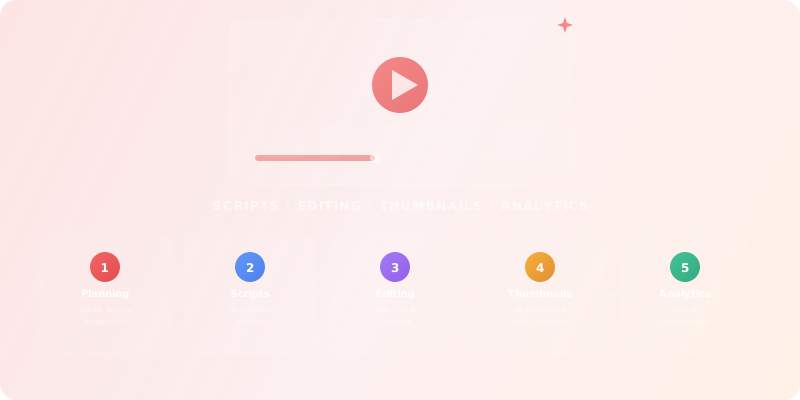
A sustainable YouTube workflow usually follows the same pattern: ideas, scripts, recording, editing, packaging, and analytics. AI works best when you plug it into the bottlenecks instead of forcing it into every step.
Find topics your audience actually searches for, analyse competitors, and map content around existing demand instead of guessing.
Turn rough bullet points into structured scripts with hooks, retention moments, and clear calls to action.
Automate rough cuts, filler word removal, captions, and basic colour or audio cleanup.
Design thumbnails, title variants, and description templates that are consistent with your brand.
Schedule uploads, repurpose clips, and read your analytics at a glance so you can test, learn, and iterate.
Tools by stage — 2026 depth note
Keyword tools (vidIQ, TubeBuddy) plus GPT-class assistants for outlines; Descript-class editors for cuts; Canva/Ideogram for thumbs; ElevenLabs only with disclosure when dubbing.
Rather than chasing every new “AI tool for YouTube”, it helps to map your stack to the pipeline above. Start with one tool per stage that you actually use every week. You can always browse all tools for content creators when you want to go broader. Category pages for video editing, video generation, image generation, and audio generation go deeper per stage.
Find topics, keywords, and angles that people actually search for on YouTube and beyond.
Your everyday Google AI assistant for creativity, research, and productivity
AI research, productivity, and conversation—smarter thinking, deeper insights.
Clear answers from reliable sources, powered by AI.
Your trusted AI collaborator for coding, research, productivity, and enterprise challenges
Your cosmic AI guide for real-time discovery and creation
The all-in-one AI workspace that takes notes, searches apps, and builds workflows where you work.
Turn rough ideas into structured scripts and A/B test hooks, intros, and CTAs.
Your everyday Google AI assistant for creativity, research, and productivity
Clear answers from reliable sources, powered by AI.
Your trusted AI collaborator for coding, research, productivity, and enterprise challenges
The world’s most accurate AI translator
Your cosmic AI guide for real-time discovery and creation
The all-in-one AI workspace that takes notes, searches apps, and builds workflows where you work.
Speed up rough cuts, captions, and audio cleanup so you can publish more consistently.
Create, edit, and design with industry-leading AI-powered image innovation.
All the AI magic of Canva, in one place.
Create production-ready visuals with AI-powered creativity
The all-in-one AI workspace that takes notes, searches apps, and builds workflows where you work.
Make any song you can imagine
AI Video Creation. Realism. Audio. Control.
Generate and iterate thumbnails, channel art, and visual assets that match your brand.
AI research, productivity, and conversation—smarter thinking, deeper insights.
Generate on-brand AI images from text, sketches, or photos—fast, realistic, and ready for commercial use.
Create, edit, and design with industry-leading AI-powered image innovation.
Your cosmic AI guide for real-time discovery and creation
All the AI magic of Canva, in one place.
Create production-ready visuals with AI-powered creativity
Schedule videos, repurpose clips, and understand what keeps viewers watching.
Create Professional AI Videos in Minutes
Create presentations, websites, docs & social instantly with AI—no design skills required.
One supercharged creator hub to manage everything
Transform emails and SMS into revenue with AI
Create TikTok Videos in Minutes with AI
Create Email Marketing Your Audience Will Love
Channel fit — 2026 depth note
Match tool spend to upload frequency and monetization. Education channels need accuracy; entertainment channels need pace — tune AI accordingly.
A small channel with a few hundred subscribers needs a very different stack than a team running multiple uploads per week. The danger is locking yourself into expensive tools before your format and schedule are stable.
If you want to keep an eye on cost, you can compare pricing models across all tools in one place instead of evaluating every product from scratch, shortlist candidates in the Compare Hub, and decide what can stay free with Free vs Paid.
Simple rule
I'm a YouTube creator in the [NICHE] space. Help me plan my next video.

Channel size: [subscriber count]
Upload frequency: [e.g. 1/week]
Average view duration: [e.g. 4 min out of 10 min videos]

Topic idea: [YOUR TOPIC]

Please provide:
1. 5 click-worthy title options (with power words)
2. A thumbnail concept description (colors, text, emotion)
3. A hook for the first 30 seconds that maximizes retention
4. A script outline with timestamps and key talking points
5. 3 SEO tags and a description optimized for YouTube search
6. 1 idea for a YouTube Short derived from this video
Example workflows — 2026 depth note
Weekly upload: Sunday batch scripts, Monday record, Tuesday AI-assisted edit, Wednesday thumb + SEO, Thursday publish. Adjust cadence to your niche.
Maximising quality while keeping workload realistic.
Repurposing content instead of starting from zero.
Using AI to coordinate, not just automate.
It can – if you let the tools lead. Use AI for drafts, structure, and variations, but always run scripts and thumbnails through your own filter. Keep a short list of non-negotiables for your channel (tone, pacing, what you never do) and check outputs against them.
AI can polish almost anything, but it can’t turn a format nobody wants into a hit. Use your analytics and audience feedback to decide what to make; use AI to make execution faster and more consistent.
Decide in advance which stage of your pipeline you want to improve this month, then trial 1–2 tools for that stage only. Give each a short test window (one or two uploads), measure the impact, and either commit or cancel.
Explore a curated selection of AI tools that many content creators rely on for scripting, editing, thumbnails, and analytics.
Your everyday Google AI assistant for creativity, research, and productivity
AI research, productivity, and conversation—smarter thinking, deeper insights.
Clear answers from reliable sources, powered by AI.
Your trusted AI collaborator for coding, research, productivity, and enterprise challenges
The AI that actually does things.
Generate on-brand AI images from text, sketches, or photos—fast, realistic, and ready for commercial use.
Learn how to navigate our tool directory, use filters, and compare options without getting overwhelmed.
Start LearningComplete this quiz to test your understanding of building an AI-assisted YouTube workflow.
Loading quiz...
AI can support every stage of your YouTube workflow, from ideas and scripts to editing, thumbnails, and analytics.
The best results come from choosing one or two tools per stage and measuring their impact on consistency and channel metrics.
Start lean, iterate based on data, and let AI handle the repetitive parts so you can focus on the creative decisions only you can make.
Know these before you go further.
Role guides recommend patterns that fit average cases — your stack, compliance, and language may differ.
What this means for you
Pilot one workflow for a week before rolling tools to the whole team.
AI tool landscapes shift monthly; pricing, limits, and data policies change without warning.
What this means for you
Bookmark alternatives and set calendar reminders to re-evaluate quarterly.
Model updates behind the same UI can change tone, accuracy, or refusal behavior overnight.
What this means for you
Keep golden test prompts and alert when outputs shift materially.
Clients, employers, and platforms increasingly require transparency about AI assistance.
What this means for you
Know disclosure rules for your industry before shipping AI-assisted work.
