Research, Study & Exam Mastery
TL;DR:
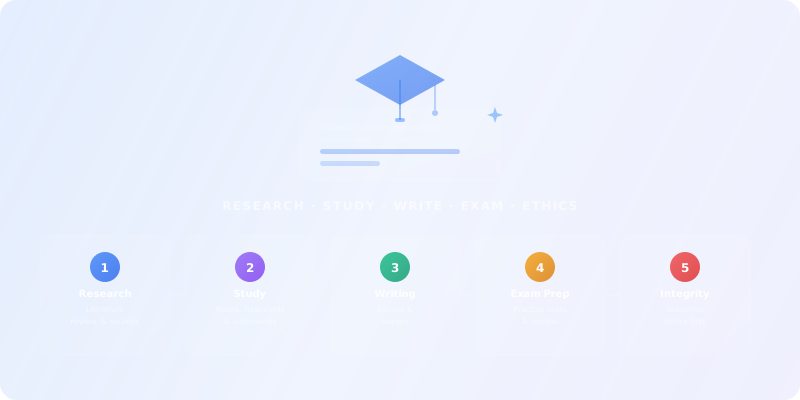
AI can transform how you research, take notes, write, and prepare for exams — but only if you use it as a thinking tool, not a shortcut. This guide gives you a systematic framework to build a personal AI study stack, use it ethically, and actually learn more in less time. Every module includes prompt templates, checklists, and hands-on labs you can apply to your real courses.
Academy review: October 5, 2026
Model names and capabilities change frequently. We use provider families (GPT, Claude, Gemini) in Academy copy — verify current tiers on provider sites or our LLM Model Family Guide.
For live model picks, cross-check with our Free vs Paid guide.
Universities updated AI policies through 2025–2026: many allow AI for brainstorming and outlining but require disclosure and ban exam use. Build cite-first habits now — they transfer to every career.
Stack snapshot (verify names & pricing before you buy)
Research (cite-first)
Perplexity, Elicit, Consensus, Google Scholar + NotebookLM
Study & recall
Quizlet AI, Anki + generated cards, ChatGPT / Claude for Socratic tutoring
Writing & integrity
Grammarly, institutional plagiarism checkers, outline-only AI use
Productivity
Notion AI, Otter.ai for lectures, calendar-aware planning assistants
Pitfalls to avoid in 2026
Tool rankings change monthly — compare live options in our tool explorer or Free vs Paid guide.
This guide: Students & AI
Study, research, writing, and career prep — aligned with academic integrity.
Learn first (we do not repeat this here)
Go deeper after this course
This guide is for students at any level — high school, undergraduate, graduate, or PhD — who want to use AI tools to study smarter without crossing ethical lines. It's also useful for lifelong learners and educators who want to understand how students are using AI.
Prerequisites: Basic comfort with online tools and a willingness to learn responsibly. No technical background required.
University Students
High School & Graduate
Lifelong Learners
AI for Research
Find, summarize, and organize academic papers with semantic search tools.
AI Note-Taking
Transcribe lectures, generate study guides, and create flashcards automatically.
AI for Writing
Get feedback on drafts, improve clarity, and cite correctly — without plagiarizing.
AI Exam Prep
Generate practice quizzes, use spaced repetition, and target weak spots.
Academic Integrity
Understand the ethics line: when AI helps learning vs. when it harms it.
Stack Design
Build a minimum viable AI study stack tailored to your courses and budget.
Academic foundations — 2026 depth note
Universities updated AI policies through 2025–2026: many allow brainstorming and outlining with disclosure but ban exam use and unattributed submission. Learn cite-first habits now — they transfer to every career.
AI tools like LLMs (e.g. ChatGPT, Claude Sonnet, Gemini), generative AI, and semantic search engines are changing how students work — but not always for the better. If you want to understand how these models actually work, start with our AI Fundamentals course.
For frameworks to evaluate these risks, see our AI Thinking course.
Find papers, books, and sources fast using semantic search.
Browse tools in Scientific Research and Search & Discovery.
Record lectures, PDFs, and videos → structured notes and flashcards.
Browse tools in Productivity & Collaboration.
Draft, refine, and cite correctly — AI as writing coach, not ghostwriter.
Browse tools in Writing & Translation and Conversational AI.
Flashcards, practice quizzes, spaced repetition, and adaptive practice.
Use tools like Quizlet, Anki, RemNote, or AI assistants from Conversational AI.
For your current or upcoming course, list:
Research — 2026 depth note
Start with library databases and Google Scholar; use Perplexity or Elicit only as a compass, not a bibliography. If a source does not exist when you click through, it is a hallucination.
Modern AI research tools work differently than traditional keyword search. They understand meaning, not just words — so you can ask research questions in natural language and get relevant papers back.
Compare research tools in Scientific Research and Search & Discovery on our directory.
Differentiate between specialized research tools (Scholarcy, Consensus — auto-extract key findings, methodology, limitations) and general AI assistants (e.g. ChatGPT, Claude Sonnet, Gemini — paste abstract/intro, ask for structured summary).
"You are an academic research assistant. Summarize this paper: Main research question and hypothesis. Methodology (sample, design, analysis). Key findings (3–5 bullets). Limitations and future directions. Keep under 300 words, cite page numbers where possible."
Ethics checkpoint
Use reference managers (Zotero, Mendeley) with AI plugins to auto-extract metadata and generate bibliographies. Tools like Notion AI can create research databases with AI-suggested connections. Scite.ai shows how papers are cited — supporting vs. contrasting.
Writing & integrity — 2026 depth note
Outline-only AI use is the safest default: structure from the model, sentences from you. Run institutional plagiarism checkers on your final draft, not just the AI output.
AI note-takers can record live lectures, generate real-time transcriptions, and produce structured summaries — including key concepts and potential exam questions.
For reading-heavy classes, upload PDFs to AI tools that generate study guides, flashcards, mind maps, and practice exams. You can also paste text chunks into a general AI assistant from Conversational AI and ask for structured study guides.
"Turn this lecture PDF into a study guide: Main topics (bullet list). Key concepts with definitions. 5 practice questions (mix of recall and application). Important formulas/diagrams (list page numbers)."
Combine AI generation with learning science: let AI generate a first draft of flashcards, then you edit, refine, and add personal examples. Use active recall format ("What is X?" not "X is defined as...") and pair with spaced repetition algorithms for long-term retention.
Tools like Quizlet (its AI features are part of the paid Plus plan), Knowt, and RemNote can turn your notes into flashcards. Anki and RemNote add spaced repetition algorithms that show cards you forget more often.
Study skills — 2026 depth note
Spaced repetition plus AI-generated flashcards works if you validate card content. Use tutoring prompts that ask you questions instead of giving answers when preparing for exams.
Rule of thumb
Use AI assistants from Conversational AI as a writing tutor — not a ghostwriter. The workflow:
"You are an experienced writing tutor. Review this essay draft: Is the thesis clear and arguable? Does each paragraph support the thesis? Is evidence cited and analyzed (not just listed)? Are there logical gaps or weak transitions? Give 3–5 concrete suggestions for improvement."
AI can invent fake citations — authors, titles, and DOIs that don't exist. This is one of the most dangerous hallucination risks for students.
Safe citation workflow:
Career prep — 2026 depth note
AI helps with resume tailoring and mock interviews; employers still hire demonstrated projects. Build a portfolio piece without generative code or copy you cannot explain in an interview.
Upload your notes to tools like Quizlet, StudyPDF, or Knowt to auto-generate multiple choice, short answer, and essay prompts. Or use a general AI assistant from Conversational AI with a targeted prompt.
"You are a professor creating a midterm exam. Based on these lecture notes: Generate 5 multiple choice questions (one correct answer). Generate 3 short answer questions (require explanation). Generate 1 essay prompt (application/analysis level). Cover topics: [list key concepts]. Vary difficulty."
Best practice: Generate 2–3x more questions than you need. Test yourself without looking at notes first (active recall). Use AI to explain why you got questions wrong.
Use tools with ML-powered adaptation that track which topics you struggle with and generate more practice there. Spaced repetition tools show cards you forget more often, optimizing your review schedule automatically.
Workflow:
Use AI to optimize study schedules. Tools from Productivity & Collaboration can generate study plans based on exam dates and topics. Or prompt an AI assistant: "I have 2 weeks until my biology exam covering [topics]. Create a day-by-day study plan, allocating more time to complex topics."
Take one real course you're in (or planning) and build an end-to-end AI study system. This pulls together everything from Modules 1–5.
1. AI Stack Plan
Which tools for research, notes, writing, and exams — with rationale (Module 1).
2. Literature Review or Research Brief
Using tools from Scientific Research (Module 2).
3. Lecture Study Guide
From recorded/uploaded lecture with notes, flashcards, and quiz (Module 3).
4. Essay or Paper Draft
With AI assistance used ethically and documented (Module 4).
5. Practice Exam
AI-generated questions, results, and weak-spot analysis (Module 5).
These tools are clustered by study workflow. Start with one tool per workflow and expand only when you hit a clear need. You can always browse the full directory of AI tools for students when you want to go broader.
Semantic search, paper summarization, literature review, and citation management.
Your everyday Google AI assistant for creativity, research, and productivity
Clear answers from reliable sources, powered by AI.
Your trusted AI collaborator for coding, research, productivity, and enterprise challenges
Efficient open-weight AI models for advanced reasoning and research
The all-in-one AI workspace that takes notes, searches apps, and builds workflows where you work.
Turn complexity into clarity with your AI-powered research and thinking partner
Lecture transcription, structured summaries, flashcard generation, and study organization.
Your everyday Google AI assistant for creativity, research, and productivity
AI research, productivity, and conversation—smarter thinking, deeper insights.
Clear answers from reliable sources, powered by AI.
Your trusted AI collaborator for coding, research, productivity, and enterprise challenges
The AI that actually does things.
Your coding agent for building ambitious software
Grammar checking, style improvement, paraphrasing, and academic writing assistance.
Your everyday Google AI assistant for creativity, research, and productivity
Clear answers from reliable sources, powered by AI.
Your trusted AI collaborator for coding, research, productivity, and enterprise challenges
Efficient open-weight AI models for advanced reasoning and research
Create, edit, and design with industry-leading AI-powered image innovation.
The world’s most accurate AI translator
Practice quizzes, spaced repetition, adaptive learning, and exam simulation.
AI research, productivity, and conversation—smarter thinking, deeper insights.
Make any song you can imagine
Turn complexity into clarity with your AI-powered research and thinking partner
Enterprise-grade AI and ML, from data to deployment
Your all-in-one AI writing assistant
State-of-the-art AI models for text, vision, audio, video & multimodal—open-source tools for everyone.
It depends on how you use it. Using AI to brainstorm, get feedback on your drafts, or generate practice questions is like using a tutor — it helps you learn. Submitting AI-generated text as your own work is plagiarism. Always check your institution's AI policy and disclose AI use when required.
AI can help you research, outline, and improve your paper — but it should never write it for you. AI-generated text lacks original thinking, may contain hallucinated facts, and won't reflect your understanding. Use AI as a thinking partner, not a ghostwriter.
Many excellent tools have free tiers that are more than enough for most students. Start with free versions of ChatGPT, Perplexity, Quizlet (free flashcards; its AI features need the paid Plus plan), and Grammarly. Only upgrade when you hit clear limits. A reasonable budget is $10–30/month for one or two premium subscriptions. Check student offers before you pay: Google, for example, gives eligible college students one year of Google AI Pro (Google AI Plus in over 140 other markets) for free, redeemable until December 31, 2026 and billed automatically afterwards unless you cancel (Google announcement, August 2026).
AI detection tools exist but are unreliable — they produce both false positives and false negatives. A 2023 study found that popular detectors consistently misclassify writing by non-native English speakers as AI-generated, OpenAI withdrew its own AI text classifier in July 2023 because of its low accuracy, and Turnitin acknowledged a sentence-level false positive rate of about 4 percent. The better approach: be transparent. Many institutions now have AI use policies. Disclose how you used AI, and make sure your work clearly reflects your own thinking and understanding.
AI USE DECLARATION
===================

Assignment: _______________
Date: ___________

AI tools used:
- Tool: _______________
- Purpose: [research / brainstorming / drafting / editing / fact-checking / other]
- What AI generated: _______________
- What I wrote/modified myself: _______________

How I verified AI output:
- □ Cross-checked facts with primary sources
- □ Rewrote in my own words and voice
- □ Added my own analysis and thinking
- □ Cited all sources (including AI-assisted ones)

My learning from this process:
_______________

I confirm that the final work reflects my own understanding and thinking.Explore top-rated AI tools that students rely on for research, writing, note-taking, and exam prep.
Your everyday Google AI assistant for creativity, research, and productivity
AI research, productivity, and conversation—smarter thinking, deeper insights.
Clear answers from reliable sources, powered by AI.
Your trusted AI collaborator for coding, research, productivity, and enterprise challenges
The AI that actually does things.
Your coding agent for building ambitious software
Understand the technology behind the tools you use — LLMs, neural networks, and how AI generates text.
Start LearningComplete this quiz to test your understanding of building an ethical AI study system.
Loading quiz...
AI is a thinking tool, not a shortcut — use it to augment your learning, not replace it.
Build a 4-layer study stack (research, notes, writing, exam prep) and start with free tools before upgrading.
Every AI-generated output must be verified, reviewed, and understood before you use it in your work.
Know these before you go further.
Role guides recommend patterns that fit average cases — your stack, compliance, and language may differ.
What this means for you
Pilot one workflow for a week before rolling tools to the whole team.
AI tool landscapes shift monthly; pricing, limits, and data policies change without warning.
What this means for you
Bookmark alternatives and set calendar reminders to re-evaluate quarterly.
Model updates behind the same UI can change tone, accuracy, or refusal behavior overnight.
What this means for you
Keep golden test prompts and alert when outputs shift materially.
Clients, employers, and platforms increasingly require transparency about AI assistance.
What this means for you
Know disclosure rules for your industry before shipping AI-assisted work.
