
"Your AI passport photo maker for every country, every requirement—in seconds, at home."
- 1 ratings
- 5.0
- Monthly users
- 309K
- Pricing
- Freemium / Pay-per-Use
- Platform
- Web App / Mobile App
- Best for
- Students / Business Executives
Overview
PhotoGov is an AI-powered online service that creates government-compliant passport, visa, and ID photos for over 1,000 document types in 96 countries. Users can upload a photo, and the AI automatically crops, resizes, adjusts backgrounds, and ensures compliance with official standards, delivering fast, high-quality results for personal and official use.
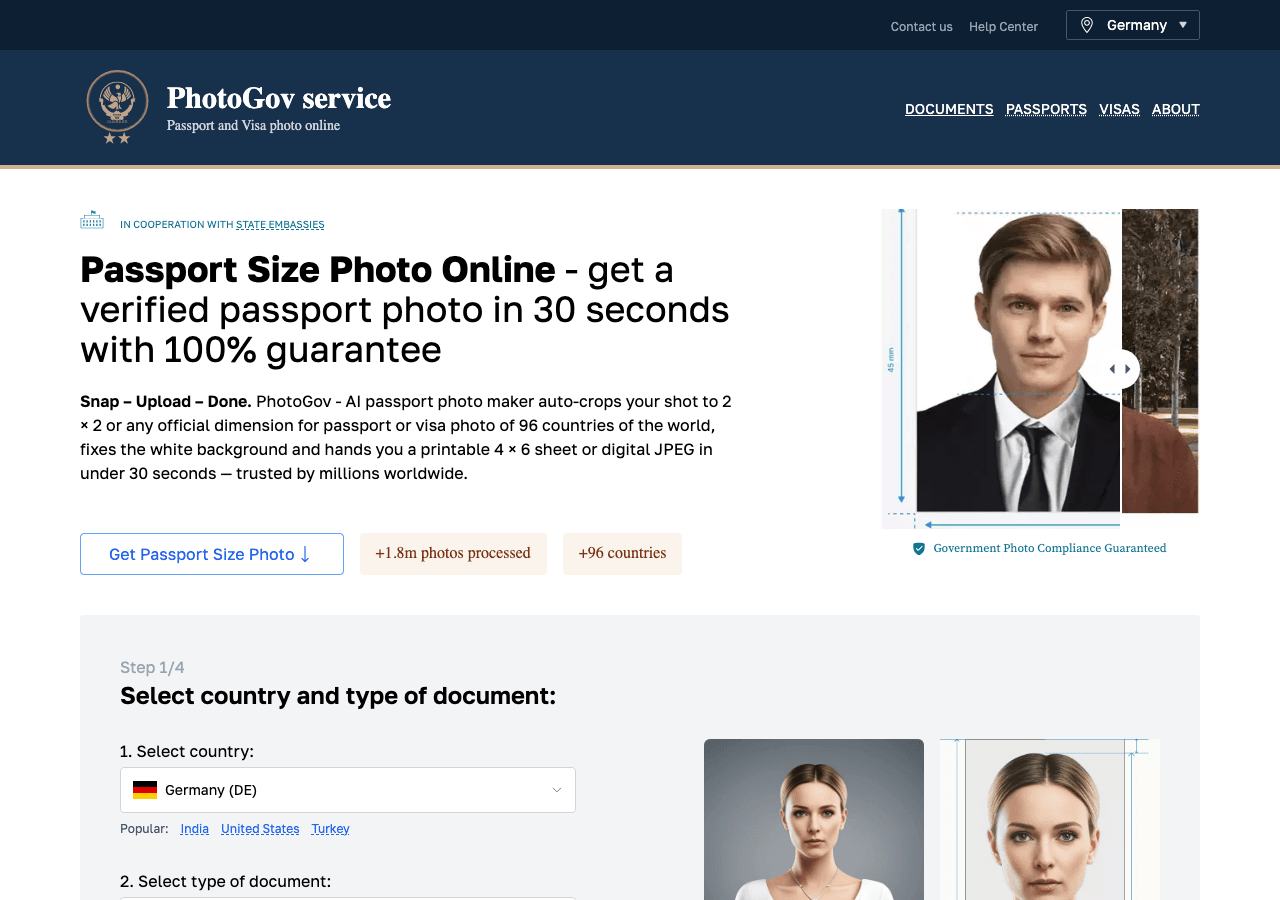
Your AI passport photo maker for every country, every requirement—in seconds, at home.
Key Features
Professional-grade image generation
Generate images at resolutions suitable for print, web, and marketing materials. Designed with Web App as the primary pl
Automation-first workflows
Trigger-based flows keep work moving without extra check-ins. PhotoGov focuses on automation; test it on one repetitive
Built for regulated teams
PhotoGov aligns with common compliance frameworks so regulated industries can adopt AI safely. PhotoGov may fit security
Support & service excellence
Self-service resources plus agent assist features shorten resolution times. PhotoGov can help customer-facing teams if i
Rate this Tool
About PhotoGov
“Your AI passport photo maker for every country, every requirement—in seconds, at home.”
PhotoGov Snapshot
Key facts we track so you can judge fit before visiting the provider.
- Primary category
- Image Generation
- Best fit
- Students, Business Executives
- Platforms
- Web App, Mobile App
- Pricing signal
- Freemium, Pay-per-Use +1 more
- Provider context
- PhotoGov - US
- Data handling
- Global hosting, Privacy policy linked
- Evidence signals
- 309K monthly visits, 5.0 rating from 1 ratings, 7 community favorites +1 more
Before you choose PhotoGov
- Confirm PhotoGov's current limits, renewal terms, and seat pricing on the official site.
- Review privacy, retention, and data-processing terms before using sensitive data.
- Run a small pilot with your real workflow before adopting it as a core tool.
- Make sure the supported platform matches where your team actually works.
What to verify
- Integration depth is unclear; test import/export, API access, or workflow handoff before relying on it.
Listing data is compiled from structured provider information, public signals, submissions, and periodic checks where available. Treat this page as a shortlist aid, then verify pricing, compliance, and product limits with the provider before making a business-critical decision.
How PhotoGov Works
Understanding the core functionality and approach of PhotoGov.
Usage-based pricing keeps PhotoGov aligned with actual consumption. Finance teams pay only for the outcomes the organization really uses. Pay-as-you-go pricing can work well for variable workloads, but PhotoGov should be tested against expected usage.
Key Features
Explore what makes PhotoGov stand out.
Professional-grade image generation
Generate images at resolutions suitable for print, web, and marketing materials. Designed with Web App as the primary platform.
Automation-first workflows
Trigger-based flows keep work moving without extra check-ins. PhotoGov focuses on automation; test it on one repetitive workflow before moving critical work into it.
Built for regulated teams
PhotoGov aligns with common compliance frameworks so regulated industries can adopt AI safely. PhotoGov may fit security-sensitive workflows if its logging, access control, and data handling meet your standards.
Support & service excellence
Self-service resources plus agent assist features shorten resolution times. PhotoGov can help customer-facing teams if its AI outputs stay grounded in approved support material.
Use Cases
Discover how different audiences leverage PhotoGov.
Automate repeatable work
Bots, rules, and triggers ensure nothing gets stuck in manual queues.
Secure deployments
Risk reviews stay transparent so deployments remain fast and safe.
FAQ about PhotoGov
What is PhotoGov and what does it do?
How much does PhotoGov cost?
Is PhotoGov secure and compliant with data privacy regulations?
What platforms does PhotoGov support?
How can I try PhotoGov before purchasing?
What file formats does PhotoGov support?
Who develops and maintains PhotoGov?
How do I get access to PhotoGov?
How is usage measured and billed in PhotoGov?
What deployment options does PhotoGov offer?
Related AI News & Insights
Stay updated with the latest news and insights about PhotoGov and the AI industry.
Nvidia's Flora Open-Source Engine Slashes Robot Video Annotation Costs by 125x Compared to GPT-6 Astra
Canva Launches Craft: Its First In-House AI Image Generation Model Trained on Design Templates
Compare Similar Tools
See how PhotoGov stacks up against similar alternatives in the market.


Fotor
Edit, create, and transform photos smarter and faster with AI—anywhere, anytime.

Keep PhotoGov's listing accurate
Providers can update product facts, pricing context, screenshots, and launch notes. Paid placements are labeled separately and do not replace editorial or data-quality review.
How to Evaluate PhotoGov
Use this page to evaluate PhotoGov alongside similar image generation tools in our alternatives overview. The goal is not to pick the most popular product; it is to find the tool that fits your actual workflow, risk level, and budget.
- Step 1Test PhotoGov with one real workflow before moving important work into it.
- Step 2Model the full monthly cost at your expected usage, including seats, limits, and overages.
- Step 3Confirm export, import, and handoff options so your work is not trapped in one tool.
- Step 4Review privacy, retention, and compliance terms before using sensitive data.
For broader context, browse more image generation tools for students, or compare this page against the category hub. New to AI tool evaluation? Start with AI Tool Navigator.
Share PhotoGov
Help others discover PhotoGov by sharing it on your favorite platforms.
Report an Issue
Found incorrect information or have concerns about PhotoGov? Let us know.
Need a tool shortlist for a real business use case?
Get a structured 3-5 tool recommendation, pricing comparison, and implementation roadmap for your team.