Banani logo - Design brand identity

Banani (2026)

Expert Reviewed
by Albert SchaperLast reviewed: Sep 21, 2026

Generate UI from Text

Visit website
Compare
Admin Verified
1 ratings
5.0
Monthly users
370K
Platform
Web App

Overview

Banani is an AI-powered UI design tool that enables users—especially non-designers and early-stage founders—to create interactive prototypes and high-fidelity wireframes from text descriptions, streamlining the product design process without the need for coding or prompt engineering.
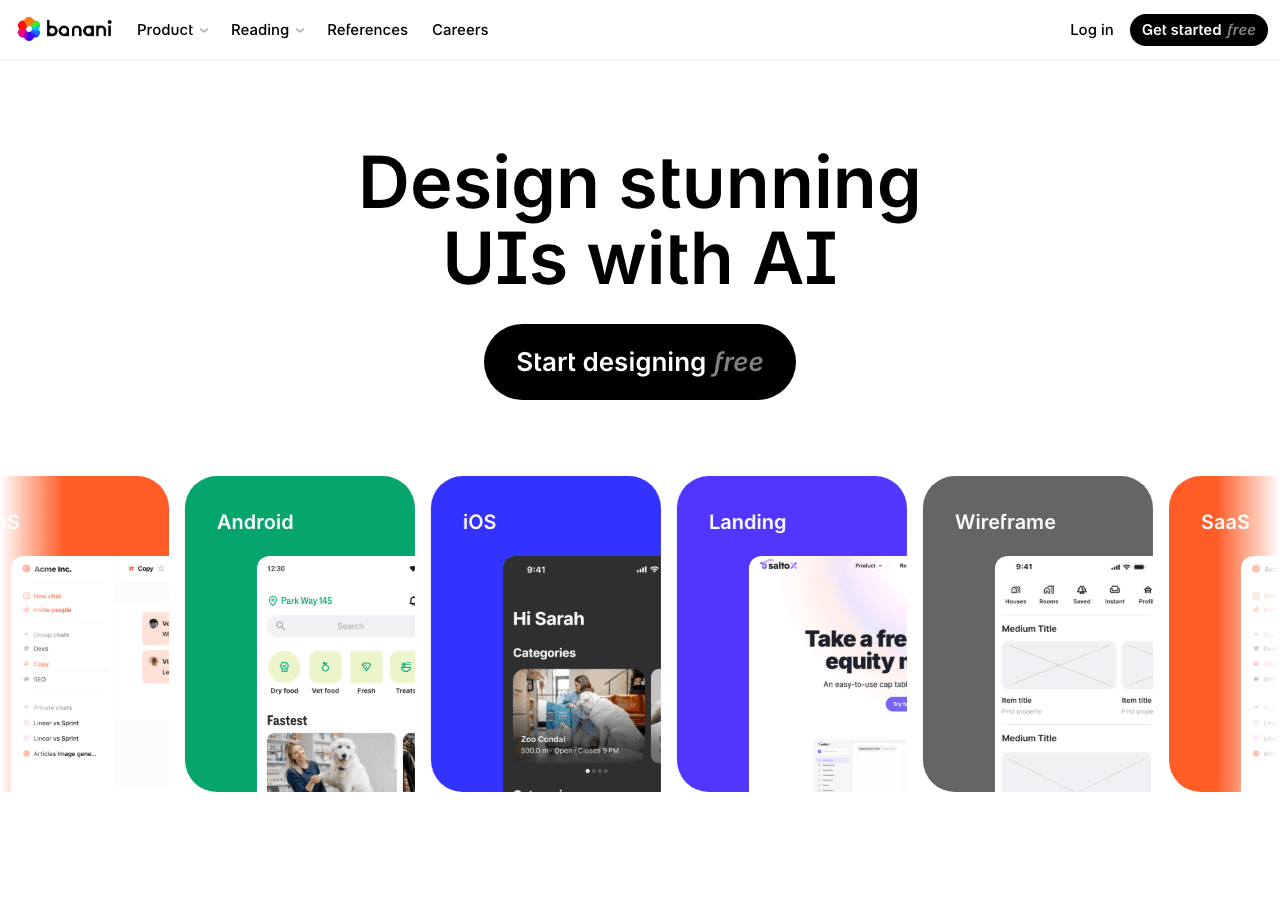
Banani Design showing Design - Generate UI from Text

Key Features

Team-based design workflows

Shared component libraries ensure brand consistency across projects and team members.

Reduce manual work

Trigger-based flows keep work moving without extra check-ins. Workflow automation in Banani can reduce manual steps when

Rate this Tool

5.0 / 5based on 1 rating

About Banani

“Generate UI from Text”

Banani is a design tool developed by Banani (UA) designed for graphic designers, product managers and entrepreneurs. Banani is an AI-powered UI design tool that generates editable, multi-screen prototypes from text prompts, images, screenshots, or Figma links. It extracts visual styles and layouts to create wireframes and high-fidelity designs rapidly. Users can refine designs using text prompts, manually adjust elements like colors and typography, and share projects for team feedback. The tool supports exporting designs to Figma, HTML/CSS, or image formats. It is intended for product managers, founders, designers, students, indie hackers, engineers, and product teams seeking to streamline their UI design workflow. With over 370K monthly visits, Banani has established a significant user base. Banani follows a freemium / subscription pricing model, with plans from a free plan up to $50/mo. It is available on Web App. Banani integrates with Plugin/Integration. It competes in the same space as Lovable. Banani offers Global hosting. Explore more design tools or browse all categories.

Banani Snapshot

Key facts we track so you can judge fit before visiting the provider.

Primary category
Design
Best fit
Graphic Designers, Product Managers, Entrepreneurs
Platforms
Web App
Provider context
Banani - UA
Known integrations
Plugin/Integration
Data handling
Global hosting, Privacy policy linked
Evidence signals
370K monthly visits, 5.0 rating from 1 ratings, 5 community favorites +1 more

Before you choose Banani

  • Confirm Banani's current limits, renewal terms, and seat pricing on the official site.
  • Review privacy, retention, and data-processing terms before using sensitive data.
  • Test the integrations or API path against one real workflow before rollout.
  • Make sure the supported platform matches where your team actually works.

Listing data is compiled from structured provider information, public signals, submissions, and periodic checks where available. Treat this page as a shortlist aid, then verify pricing, compliance, and product limits with the provider before making a business-critical decision.

How Banani Works

Understanding the core functionality and approach of Banani.

Visual design in Banani combines AI assistance with traditional design tools. Create layouts, illustrations, and UI components faster than manual workflows allow. Currently optimized for Web App.

Key Features

Explore what makes Banani stand out.

Team-based design workflows

Shared component libraries ensure brand consistency across projects and team members.

Reduce manual work

Trigger-based flows keep work moving without extra check-ins. Workflow automation in Banani can reduce manual steps when the triggers and handoffs match your process.

Use Cases

Discover how different audiences leverage Banani.

Graphic Designers

Operational efficiency

Operations teams rely on Banani to orchestrate tasks across departments. Integrations with Plugin/Integration keep Banani connected to your workflow.

FAQ about Banani

What is Banani and what does it do?

Banani is Generate UI from Text. Banani is an AI-powered UI design tool that enables users—especially non-designers and early-stage founders—to create interactive prototypes and high-fidelity wireframes from text descriptions, streamlining the product design process without the need for coding or prompt engineering. Available on Web App, Banani is designed to enhance productivity and deliver professional-grade design capabilities.

How much does Banani cost?

Banani offers Freemium, Subscription pricing options. /pricing monthly: Free $0/mo (12 monthly + 3 daily credits). Plus $20/mo. Pro $50/mo. Yearly billed as $12 / $30 per month (−40%). Agent mode on paid. USD. Current estimates suggest pricing from Paid from $20 / month. You can start with a free tier to test the platform before committing to a paid plan. For the most current pricing details and plan comparisons, visit the official Banani pricing page or contact their sales team for custom enterprise quotes. See also Free vs Paid AI Tools for guidance on choosing the right plan.

Is Banani secure and compliant with data privacy regulations?

Banani takes data privacy seriously and implements industry-standard security measures. Data is hosted in Global, providing transparency about where your information resides. For comprehensive details about data handling, encryption, and privacy practices, review their official privacy policy. Security and compliance are continuously updated to meet evolving industry standards.
What platforms does Banani support?
Banani is available on Web App. The web application provides full functionality directly in your browser without requiring downloads. This multi-platform approach ensures you can use Banani wherever and however you work best.
How can I try Banani before purchasing?
The freemium model gives you access to essential features at no cost, with premium capabilities available through paid upgrades. Testing the platform before committing ensures it meets your specific requirements and integrates smoothly with your existing workflows. Support for English, Spanish, French, German, Chinese makes it accessible to global users.
What file formats does Banani support?
Banani accepts Text input is supported in various formats such as plain text, markdown, and HTML. as input formats, making it compatible with your existing files and workflows. Output is delivered in Banani can generate text output in plain text, HTML, and markdown formats for easy integration into different platforms., ensuring compatibility with downstream tools and platforms. This format flexibility allows seamless integration into diverse tech stacks and creative pipelines.
Who develops and maintains Banani?
Banani is developed and maintained by Banani, based in UA. Most recently updated in September 2026, the platform remains actively maintained with regular feature releases and bug fixes. This ongoing commitment ensures Banani stays competitive and aligned with industry best practices.
How do I get access to Banani?
Banani is freely available to everyone without registration requirements. You can start using the platform immediately without going through lengthy approval processes.
How is usage measured and billed in Banani?
Banani uses Credits as billing metrics. Credit-based systems offer flexibility, allowing you to purchase credits in advance and consume them as needed. This usage model ensures you only pay for what you actually use, avoiding unnecessary overhead costs for features you don't need.
What deployment options does Banani offer?
Banani supports Cloud deployment configurations. Cloud-hosted options provide instant scalability without infrastructure management overhead. Choose the deployment model that best aligns with your technical requirements, security constraints, and operational preferences.

Compare Similar Tools

See how Banani stacks up against similar alternatives in the market.

Lovable icon

Lovable

Build full-stack apps from plain English

314
Freemium
+2 more
Canva Magic Studio icon

Canva Magic Studio

All the AI magic of Canva, in one place.

401
Freemium
+1 more
Adobe Express icon

Adobe Express

Bring ideas to life faster with AI | Adobe Express

275
Freemium
+2 more
For tool providers

Keep Banani's listing accurate

Providers can update product facts, pricing context, screenshots, and launch notes. Paid placements are labeled separately and do not replace editorial or data-quality review.

How to Evaluate Banani

Compare Banani with Lovable and other alternatives before you decide. The goal is not to pick the most popular product; it is to find the tool that fits your actual workflow, risk level, and budget.

  1. Step 1Test Banani with one real workflow before moving important work into it.
  2. Step 2Model the full monthly cost at your expected usage, including seats, limits, and overages.
  3. Step 3Verify the integration path with your existing stack before you commit.
  4. Step 4Review privacy, retention, and compliance terms before using sensitive data.

For broader context, browse more design tools for graphic designers, or compare this page against the category hub. New to AI tool evaluation? Start with AI Tool Navigator.

Share Banani

Help others discover Banani by sharing it on your favorite platforms.

Report an Issue

Found incorrect information or have concerns about Banani? Let us know.

AI Tool Consulting

Need a tool shortlist for a real business use case?

Get a structured 3-5 tool recommendation, pricing comparison, and implementation roadmap for your team.

Fixed-scope 500 EUR optionBased on Best-AI.org tool dataManual expert review
Get matched