ZapCap logo - Video Editing brand identity

ZapCap (2026)

Expert Reviewed
by Albert SchaperLast reviewed: Nov 18, 2025

AI video captions, animated subtitles, and content upgrades in seconds

Visit Tool
Admin Verified
Monthly users
103K
Pricing
$0 – $32 / month
Platform
Web App · API

Overview

ZapCap is an AI-powered video editing platform that automatically generates highly accurate animated captions and subtitles in over 48 languages, supports AI-driven enhancements like B-roll, sound effects, and transitions, and offers customization and content repurposing tools for creators, marketers, and educators seeking engaging, accessible, and scalab...
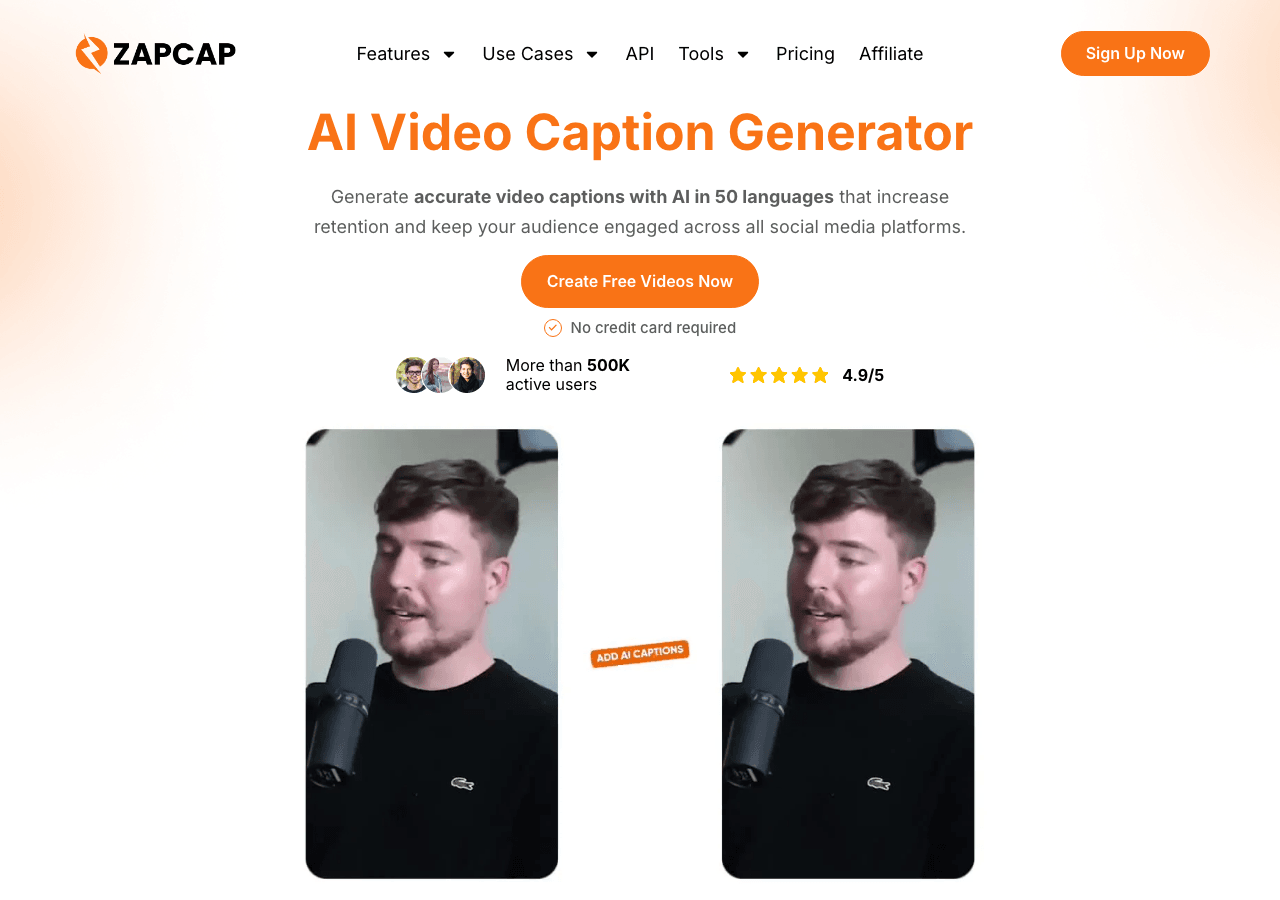
ZapCap Video Editing showing Video Editing - AI video captions, animated subtitles, and content upgrades in seconds

Tool Details

Pricing Details
Free plan with 3 videos/month, Starter $8/month (15 videos/month), Pro $16/month (50 videos/month), Agency+ $32/month (unlimited videos). API pricing available at $0.10/minute ($0.03 transcription + $0.07 rendering). Storage costs $0.015/GB/month. Enterprise plans available on request.
Estimated Monthly Pricing (USD)
$0 – $32 / month
Min$0 / month
Mid$8 / month
Max$32 / month
Typical plan: $8 / month
Free tier available

Monthly Active Users
103K
Global Rank
#347,773

Figures above in this panel are rounded for quick orientation. Sign in for exact visits, rank breakdown, and engagement metrics.

Country Rank
Category Rank
Bounce Rate
Pages per Visit
Average Visit Duration

Platforms
GDPR Compliant
No
NSFW
No
Demo Available
Yes
Accessibility
Open Access

Input Formats
Accepts video and audio files in formats such as MP4, MOV, AVI, and MP3 for caption generation.
Output Formats
Provides caption files in commonly used formats like SRT, VTT, and TXT for easy integration with various platforms and media players.
SDKs
Python
JavaScript/TypeScript
Hosting
Global
Supported Languages
English, Spanish, French, German, Chinese, Japanese, and more

Company
ZapCap
Country
Open Source
No
Last Updated
November 18, 2025

Key Features

Multiple export formats

Export videos in formats optimized for social media, web, or professional production.

Programmatic access

The API lets teams extend workflows programmatically and connect existing apps with minimal friction. Workflow automatio

Multi-language SDK support

SDKs for Python and JavaScript/TypeScript remove boilerplate and shorten the path to production.

Hands-on demos

Demo and trial environments let teams experience ZapCap before committing.

Reduce manual work

Trigger-based flows keep work moving without extra check-ins.

Marketing operations hub

Campaigns stay on schedule with shared views of content, distribution, and performance. ZapCap can support marketing ope

Expert Insight

Albert Schaper(Artificial Intelligence, AI Tools)

Albert Schaper has analyzed ZapCap for Video Editing. Given Albert Schaper's expertise in artificial intelligence, this tool is particularly recommended for content creators who prioritize artificial intelligence capabilities.

Pricing & Plans

Pricing: $0 – $32 / month(Updated November 2025)

Free plan with 3 videos/month, Starter $8/month (15 videos/month), Pro $16/month (50 videos/month), Agency+ $32/month (unlimited videos). API pricing available at $0.10/minute ($0.03 transcription + $0.07 rendering). Storage costs $0.015/GB/month. Enterprise plans available on request.

Usage Model: Pay-as-You-Go, Per-Minute — ensuring you only pay for what you actually use.

The free tier of ZapCap is perfect for content creators exploring video editing solutions. Free plans include core features that support basic use cases and experimentation. Upgrading to paid subscriptions unlocks premium features, better performance, and professional support tailored for content creators with advanced video editing needs.

Rate this Tool

Be the first to rate this tool!

About ZapCap

AI video captions, animated subtitles, and content upgrades in seconds

ZapCap is a video editing tool developed by ZapCap (US) designed for content creators, marketing professionals and entrepreneurs. ZapCap is an AI-powered video editing tool that generates accurate captions in over 50 languages, automatically selects B-roll footage, and automates video transitions. It offers features such as dynamic captions, image and GIF integration, removal of silence and filler words, sound effects, music, trimming, and a viral video clipper. The platform also includes tools for auto-scheduling videos, generating auto tags and descriptions, and specific utilities for YouTube, TikTok, and Instagram content. It aims to increase video accessibility, improve comprehension, break language barriers, and enhance video SEO for content creators, agencies, coaches, marketers, podcasters, small businesses, and startups. With over 103K monthly visits, ZapCap has established a significant user base. ZapCap follows a freemium / subscription pricing model, with plans from a free tier up to $32/mo. It is available on Web App and API. Developer integration is supported through Python and JavaScript/TypeScript SDKs. ZapCap offers Global hosting. A free demo is available to evaluate ZapCap before committing to a paid plan. Explore more video editing tools or browse all categories.

ZapCap Snapshot

Key facts we track so you can judge fit before visiting the provider.

Primary category
Video Editing
Best fit
Content Creators, Marketing Professionals, Entrepreneurs +2 more
Platforms
Web App, API
Provider context
ZapCap - US
Developer access
API documentation, Python, JavaScript/TypeScript
Data handling
Global hosting, Privacy policy linked
Evidence signals
103K monthly visits, 2 community favorites, Verification metadata recorded

Before you choose ZapCap

  • Confirm ZapCap's current limits, renewal terms, and seat pricing on the official site.
  • Review privacy, retention, and data-processing terms before using sensitive data.
  • Test the integrations or API path against one real workflow before rollout.
  • Make sure the supported platform matches where your team actually works.

Listing data is compiled from structured provider information, public signals, submissions, and periodic checks where available. Treat this page as a shortlist aid, then verify pricing, compliance, and product limits with the provider before making a business-critical decision.

How ZapCap Works

Understanding the core functionality and approach of ZapCap.

ZapCap offers a freemium model so you can create videos without immediate cost. Upgrade when you need longer clips, higher resolution, or commercial licensing. ZapCap is built for Web App users.

Key Features

Explore what makes ZapCap stand out.

Multiple export formats

Export videos in formats optimized for social media, web, or professional production.

Programmatic access

The API lets teams extend workflows programmatically and connect existing apps with minimal friction. Workflow automation in ZapCap can reduce manual steps when the triggers and handoffs match your process.

Multi-language SDK support

SDKs for Python and JavaScript/TypeScript remove boilerplate and shorten the path to production.

Hands-on demos

Demo and trial environments let teams experience ZapCap before committing.

Reduce manual work

Trigger-based flows keep work moving without extra check-ins.

Marketing operations hub

Campaigns stay on schedule with shared views of content, distribution, and performance. ZapCap can support marketing operations when creative, distribution, and analytics data are connected.

Use Cases

Discover how different audiences leverage ZapCap.

Content Creators

Create video ads

Create multiple video variations for A/B testing campaigns across different platforms.

Content Creators

Scale content production

Collaboration features keep stakeholders aligned throughout the creative process.

Content Creators

Scale marketing programs

Performance reporting feeds back into ideation so the next campaign launches with confidence.

FAQ about ZapCap

What is ZapCap and what does it do?

ZapCap is AI video captions, animated subtitles, and content upgrades in seconds. ZapCap is an AI-powered video editing platform that automatically generates highly accurate animated captions and subtitles in over 48 languages, supports AI-driven enhancements like B-roll, sound effects, and transitions, and offers customization and content repurposing tools for creators, marketers, and educators seeking engaging, accessible, and scalable video content. Available on Web App, API, ZapCap is designed to enhance productivity and deliver professional-grade video editing capabilities.

How much does ZapCap cost?

ZapCap offers Freemium, Subscription pricing options. Free plan with 3 videos/month, Starter $8/month (15 videos/month), Pro $16/month (50 videos/month), Agency+ $32/month (unlimited videos). API pricing available at $0.10/minute ($0.03 transcription + $0.07 rendering). Current estimates suggest pricing from $0 – $32 / month. You can start with a free tier to test the platform before committing to a paid plan. For the most current pricing details and plan comparisons, visit the official ZapCap pricing page or contact their sales team for custom enterprise quotes. See also Free vs Paid AI Tools for guidance on choosing the right plan.

Is ZapCap secure and compliant with data privacy regulations?

ZapCap takes data privacy seriously and implements industry-standard security measures. Data is hosted in Global, providing transparency about where your information resides. For comprehensive details about data handling, encryption, and privacy practices, review their official privacy policy. Security and compliance are continuously updated to meet evolving industry standards.
What platforms does ZapCap support?
ZapCap is available on Web App, API. The web application provides full functionality directly in your browser without requiring downloads. API access allows developers to integrate ZapCap capabilities directly into their own applications and workflows. This multi-platform approach ensures you can use ZapCap wherever and however you work best.
How can I try ZapCap before purchasing?
ZapCap offers a demo version that lets you explore key features hands-on. The freemium model gives you access to essential features at no cost, with premium capabilities available through paid upgrades. Testing the platform before committing ensures it meets your specific requirements and integrates smoothly with your existing workflows. Support for English, Spanish, French, German, Chinese, Japanese, and more makes it accessible to global users.
What file formats does ZapCap support?
ZapCap accepts Accepts video and audio files in formats such as MP4, MOV, AVI, and MP3 for caption generation. as input formats, making it compatible with your existing files and workflows. Output is delivered in Provides caption files in commonly used formats like SRT, VTT, and TXT for easy integration with various platforms and media players., ensuring compatibility with downstream tools and platforms. This format flexibility allows seamless integration into diverse tech stacks and creative pipelines.
Who develops and maintains ZapCap?
ZapCap is developed and maintained by ZapCap, based in US. Most recently updated in November 2025, the platform remains actively maintained with regular feature releases and bug fixes. This ongoing commitment ensures ZapCap stays competitive and aligned with industry best practices.
How do I get access to ZapCap?
ZapCap is freely available to everyone without registration requirements. You can start using the platform immediately without going through lengthy approval processes. A demo version is also available for those who want to explore features before committing.
How is usage measured and billed in ZapCap?
ZapCap uses Pay-as-You-Go, Per-Minute as billing metrics. This usage model ensures you only pay for what you actually use, avoiding unnecessary overhead costs for features you don't need.
What deployment options does ZapCap offer?
ZapCap supports Cloud deployment configurations. Cloud-hosted options provide instant scalability without infrastructure management overhead. Choose the deployment model that best aligns with your technical requirements, security constraints, and operational preferences.

Compare Similar Tools

See how ZapCap stacks up against similar alternatives in the market.

Zeemo icon

Zeemo

Transform text to viral videos in minutes with AI captions and smart editing

73
Contact for Pricing
+2 more
CapCut icon

CapCut

Create professional videos effortlessly with AI-powered tools

174
Invideo AI icon

Invideo AI

Turn ideas into professional videos in minutes—no editing skills required

64
Freemium
+1 more
For tool providers

Keep ZapCap's listing accurate

Providers can update product facts, pricing context, screenshots, and launch notes. Paid placements are labeled separately and do not replace editorial or data-quality review.

How to Evaluate ZapCap

Use this page to evaluate ZapCap alongside similar video editing tools in our alternatives overview. The goal is not to pick the most popular product; it is to find the tool that fits your actual workflow, risk level, and budget.

  1. Step 1Run the demo with one real content creators task, not a sample prompt.
  2. Step 2Model the full monthly cost at your expected usage, including seats, limits, and overages.
  3. Step 3Verify the integration path with your existing stack before you commit.
  4. Step 4Review privacy, retention, and compliance terms before using sensitive data.

For developer teams, inspect the Python SDK and JavaScript/TypeScript support. Review the API documentation for auth, rate limits, errors, and export behavior. For broader context, browse more video editing tools for content creators, or compare this page against the category hub. New to AI tool evaluation? Start with AI Tool Navigator.

Share ZapCap

Help others discover ZapCap by sharing it on your favorite platforms.

Report an Issue

Found incorrect information or have concerns about ZapCap? Let us know.

Need Help Finding the Right Tool?

AI Powered

Looking for alternatives to ZapCap or similar tools? Use our AI chatbot to find the right solution for your needs.

Explore All Tools
Start Exploring: