HappyScribe logo - Audio Editing brand identity

HappyScribe (2026)

Expert Reviewed
by Dr. William BobosLast reviewed: Dec 10, 2025

AI notes, transcription, subtitles & translation in 120+ languages

Visit Tool
Admin Verified
3 reviews
4.0
Monthly users
2.6M
Pricing
$0 – $89 / month
Platform
Web App · API

Overview

HappyScribe is an AI-powered platform for recording, transcribing, subtitling and translating audio and video in 120+ languages. It combines advanced automatic speech recognition with human professionals to deliver up to 99% accurate transcripts and captions, offers secure SOC 2- and GDPR-compliant storage and collaboration, interactive editors, custom gl...
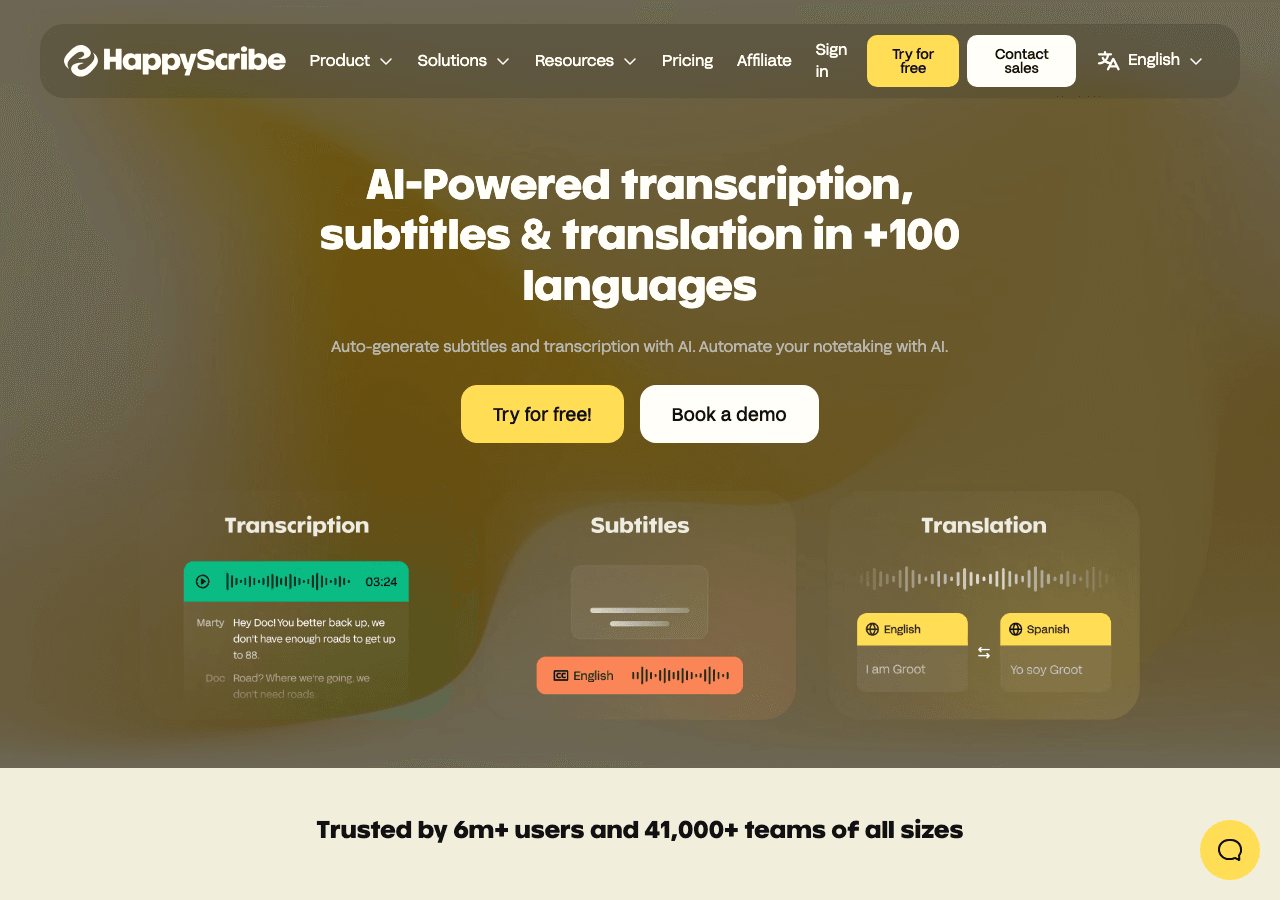
HappyScribe Audio Editing showing Audio Editing - AI notes, transcription, subtitles & translation in 120+ languages

Tool Details

Pricing Details
Free tier with 10 minutes included, Starter pay-as-you-go from $12 per 60 minutes, Lite subscription $9/month with 60 AI minutes, Pro subscription $29/month with 600 AI minutes, Business subscription $89/month with 6000 AI minutes, Enterprise plan with custom pricing, optional human transcription from about $2.00/minute as an add-on
Estimated Monthly Pricing (USD)
$0 – $89 / month
Min$0 / month
Mid$29 / month
Max$89 / month
Typical plan: $29 / month
Free tier available

Monthly Active Users
2.6M
Global Rank
#18,528

Figures above in this panel are rounded for quick orientation. Sign in for exact visits, rank breakdown, and engagement metrics.

Country Rank
Category Rank
Bounce Rate
Pages per Visit
Average Visit Duration

Platforms
GDPR Compliant
No
NSFW
No
Demo Available
Yes
Accessibility
Open Access

Input Formats
Accepts various audio and video file formats, such as MP3, WAV, MP4, and more.
Output Formats
Provides transcriptions in multiple formats, including text files, subtitles files (SRT), and more.
SDKs
Python
JavaScript/TypeScript
Hosting
Global
Integrations
Happy Scribe
Supported Languages
Over 119 languages supported

Company
Happy Scribe
Country
Open Source
No
Last Updated
December 10, 2025

Key Features

Global content creation

Support for technical, creative, and business writing across multiple languages.

RESTful API integration

Webhook and API support keep HappyScribe aligned with bespoke internal processes. Workflow automation in HappyScribe can

SDKs to accelerate build-out

SDKs for Python and JavaScript/TypeScript remove boilerplate and shorten the path to production.

Try before you commit

Live demos and sandboxes simplify evaluation across stakeholders.

Automation-first workflows

Automation frees time for strategic initiatives while maintaining consistency.

Support & service excellence

Self-service resources plus agent assist features shorten resolution times. Support teams should test HappyScribe on rea

Expert Insight

Dr. William Bobos

Dr. William Bobos, specializing in AI tools, has reviewed HappyScribe for Audio Editing and rates it 4.0/5 based on 1 user review. The tool shows particular promise for content creators who work with AI tools tools regularly.

Pricing & Plans

Pricing: $0 – $89 / month(Updated December 2025)

Free tier with 10 minutes included, Starter pay-as-you-go from $12 per 60 minutes, Lite subscription $9/month with 60 AI minutes, Pro subscription $29/month with 600 AI minutes, Business subscription $89/month with 6000 AI minutes, Enterprise plan with custom pricing, optional human transcription from about $2.00/minute as an add-on

Usage Model: Pay-as-You-Go, Per-Minute — ensuring you only pay for what you actually use.

HappyScribe's free tier enables content creators to experience audio editing capabilities at no cost. The free plan provides essential functionality that's ideal for learning and initial testing. Paid plans expand capabilities significantly, offering advanced features, higher capacity, and dedicated support for content creators with professional audio editing requirements.

Video Showcase

Using Scribe AI to do my work

Rate this Tool

4.0 / 5based on 3 ratings

User Reviews

4.0

Based on user reviews

Rating Distribution

5
0 (0%)
4
1 (100%)
3
0 (0%)
2
0 (0%)
1
0 (0%)

All Reviews

No reviews yet. Be the first to share your experience!

About HappyScribe

AI notes, transcription, subtitles & translation in 120+ languages

HappyScribe is a audio editing tool developed by Happy Scribe (IE) designed for content creators, educators and students. HappyScribe is an Audio & Video editing and translation solution for content creators, educators, students, marketers, entrepreneurs, and HR teams that delivers highly accurate AI + human transcription, subtitles, and translation in 120+ languages. Pricing: Freemium, Pay-per-Use, Enterprise, Contact for Pricing. With over 2.6 million monthly visits, HappyScribe has established a significant user base. HappyScribe follows a contact for pricing / enterprise pricing model, with plans from a free tier up to $89/mo. It is available on Web App and API. Developer integration is supported through Python and JavaScript/TypeScript SDKs. HappyScribe integrates with Happy Scribe. It competes in the same space as Rev, Sonix and Descript. Explore more audio editing tools or browse all categories.

HappyScribe Snapshot

Key facts we track so you can judge fit before visiting the provider.

Primary category
Audio Editing
Best fit
Content Creators, Educators, Students +3 more
Platforms
Web App, API
Provider context
Happy Scribe - IE
Known integrations
Happy Scribe
Developer access
API documentation, Python, JavaScript/TypeScript
Data handling
Global hosting, Privacy policy linked

Before you choose HappyScribe

  • Confirm HappyScribe's current limits, renewal terms, and seat pricing on the official site.
  • Review privacy, retention, and data-processing terms before using sensitive data.
  • Test the integrations or API path against one real workflow before rollout.
  • Make sure the supported platform matches where your team actually works.

Listing data is compiled from structured provider information, public signals, submissions, and periodic checks where available. Treat this page as a shortlist aid, then verify pricing, compliance, and product limits with the provider before making a business-critical decision.

How HappyScribe Works

Understanding the core functionality and approach of HappyScribe.

Pay-as-you-go pricing means HappyScribe costs scale with your actual usage. No wasted spend on unused seats or features you don't need yet. Integrations with Happy Scribe keep HappyScribe connected to your workflow.

Key Features

Explore what makes HappyScribe stand out.

Global content creation

Support for technical, creative, and business writing across multiple languages.

RESTful API integration

Webhook and API support keep HappyScribe aligned with bespoke internal processes. Workflow automation in HappyScribe can reduce manual steps when the triggers and handoffs match your process.

SDKs to accelerate build-out

SDKs for Python and JavaScript/TypeScript remove boilerplate and shorten the path to production.

Try before you commit

Live demos and sandboxes simplify evaluation across stakeholders.

Automation-first workflows

Automation frees time for strategic initiatives while maintaining consistency.

Support & service excellence

Self-service resources plus agent assist features shorten resolution times. Support teams should test HappyScribe on real tickets to measure answer quality, handoff accuracy, and SLA impact.

Use Cases

Discover how different audiences leverage HappyScribe.

Content Creators

Create multilingual campaigns

Maintain consistent messaging across languages while preserving brand voice.

Content Creators

Streamline creative processes

Automate repetitive creative tasks so teams focus on high-impact work.

Content Creators

Automate repeatable work

Workflows trigger automatically so stakeholders focus on higher-value work.

FAQ about HappyScribe

What is HappyScribe and what does it do?

HappyScribe is AI notes, transcription, subtitles & translation in 120+ languages. HappyScribe is an AI-powered platform for recording, transcribing, subtitling and translating audio and video in 120+ languages. It combines advanced automatic speech recognition with human professionals to deliver up to 99% accurate transcripts and captions, offers secure SOC 2- and GDPR-compliant storage and collaboration, interactive editors, custom glossaries and style guides, and integrates into media workflows via tools like YouTube, Vimeo and Google Drive. Available on Web App, API, HappyScribe is designed to enhance productivity and deliver professional-grade audio editing capabilities.

How much does HappyScribe cost?

HappyScribe offers Contact for Pricing, Enterprise pricing options. Free tier with 10 minutes included, Starter pay-as-you-go from $12 per 60 minutes, Lite subscription $9/month with 60 AI minutes, Pro subscription $29/month with 600 AI minutes, Business subscription $89/month with 6000... Current estimates suggest pricing from $0 – $89 / month. Pricing is designed to scale with your needs, from individual users to enterprise teams. For the most current pricing details and plan comparisons, visit the official HappyScribe pricing page or contact their sales team for custom enterprise quotes. Browse AI tools by pricing model to compare options.

Is HappyScribe secure and compliant with data privacy regulations?

HappyScribe takes data privacy seriously and implements industry-standard security measures. Data is hosted in Global, providing transparency about where your information resides. For comprehensive details about data handling, encryption, and privacy practices, review their official privacy policy. Security and compliance are continuously updated to meet evolving industry standards.
What platforms does HappyScribe support?
HappyScribe is available on Web App, API. The web application provides full functionality directly in your browser without requiring downloads. API access allows developers to integrate HappyScribe capabilities directly into their own applications and workflows. This multi-platform approach ensures you can use HappyScribe wherever and however you work best.
How can I try HappyScribe before purchasing?
HappyScribe offers a demo version that lets you explore key features hands-on. HappyScribe typically offers trial periods or limited access to help you evaluate the platform. Testing the platform before committing ensures it meets your specific requirements and integrates smoothly with your existing workflows. Support for Over 119 languages supported makes it accessible to global users.
What file formats does HappyScribe support?
HappyScribe accepts Accepts various audio and video file formats, such as MP3, WAV, MP4, and more. as input formats, making it compatible with your existing files and workflows. Output is delivered in Provides transcriptions in multiple formats, including text files, subtitles files (SRT), and more., ensuring compatibility with downstream tools and platforms. This format flexibility allows seamless integration into diverse tech stacks and creative pipelines.
Who develops and maintains HappyScribe?
HappyScribe is developed and maintained by Happy Scribe, based in IE. Most recently updated in December 2025, the platform remains actively maintained with regular feature releases and bug fixes. This ongoing commitment ensures HappyScribe stays competitive and aligned with industry best practices.
How do I get access to HappyScribe?
HappyScribe is freely available to everyone without registration requirements. You can start using the platform immediately without going through lengthy approval processes. A demo version is also available for those who want to explore features before committing.
How is usage measured and billed in HappyScribe?
HappyScribe uses Pay-as-You-Go, Per-Minute as billing metrics. This usage model ensures you only pay for what you actually use, avoiding unnecessary overhead costs for features you don't need.
What deployment options does HappyScribe offer?
HappyScribe supports Cloud deployment configurations. Cloud-hosted options provide instant scalability without infrastructure management overhead. Choose the deployment model that best aligns with your technical requirements, security constraints, and operational preferences.

Compare Similar Tools

See how HappyScribe stacks up against similar alternatives in the market.

TurboScribe icon

TurboScribe

Unlimited transcription at turbo speed—accurate, effortless, in 98+ languages

90
DeepL icon

DeepL

The world’s most accurate AI translator

422
Freemium
+2 more
HeyGen icon

HeyGen

Create Professional AI Videos in Minutes

130
Freemium
+1 more
For tool providers

Keep HappyScribe's listing accurate

Providers can update product facts, pricing context, screenshots, and launch notes. Paid placements are labeled separately and do not replace editorial or data-quality review.

How to Evaluate HappyScribe

Compare HappyScribe with Rev, Sonix, Descript and other alternatives before you decide. The goal is not to pick the most popular product; it is to find the tool that fits your actual workflow, risk level, and budget.

  1. Step 1Run the demo with one real content creators task, not a sample prompt.
  2. Step 2Model the full monthly cost at your expected usage, including seats, limits, and overages.
  3. Step 3Verify the integration path with your existing stack before you commit.
  4. Step 4Review privacy, retention, and compliance terms before using sensitive data.

Use the video walkthrough to check whether the interface matches the claims. For developer teams, inspect the Python SDK and JavaScript/TypeScript support. Review the API documentation for auth, rate limits, errors, and export behavior. For broader context, browse more audio editing tools for content creators, or compare this page against the category hub. New to AI tool evaluation? Start with AI Tool Navigator.

Share HappyScribe

Help others discover HappyScribe by sharing it on your favorite platforms.

Report an Issue

Found incorrect information or have concerns about HappyScribe? Let us know.

Need Help Finding the Right Tool?

AI Powered

Looking for alternatives to HappyScribe or similar tools? Use our AI chatbot to find the right solution for your needs.

Explore All Tools
Start Exploring: