
"Turn messy handwriting into clean, digital text—accurately, securely, instantly."
Typical plan: $19 / month
- Favorites
- 2
- Pricing
- Paid from $19 / month
- Platform
- Web App / API
- Data status
- Verified listing
Overview
HandwritingOCR is an AI-powered service specialized in converting handwritten notes—whether cursive, messy, or printed—into accurate, editable, and searchable digital text. It supports over 300 languages, offers enterprise-grade security including data privacy and encryption, maintains original formatting, and provides fast, scalable processing for both i...
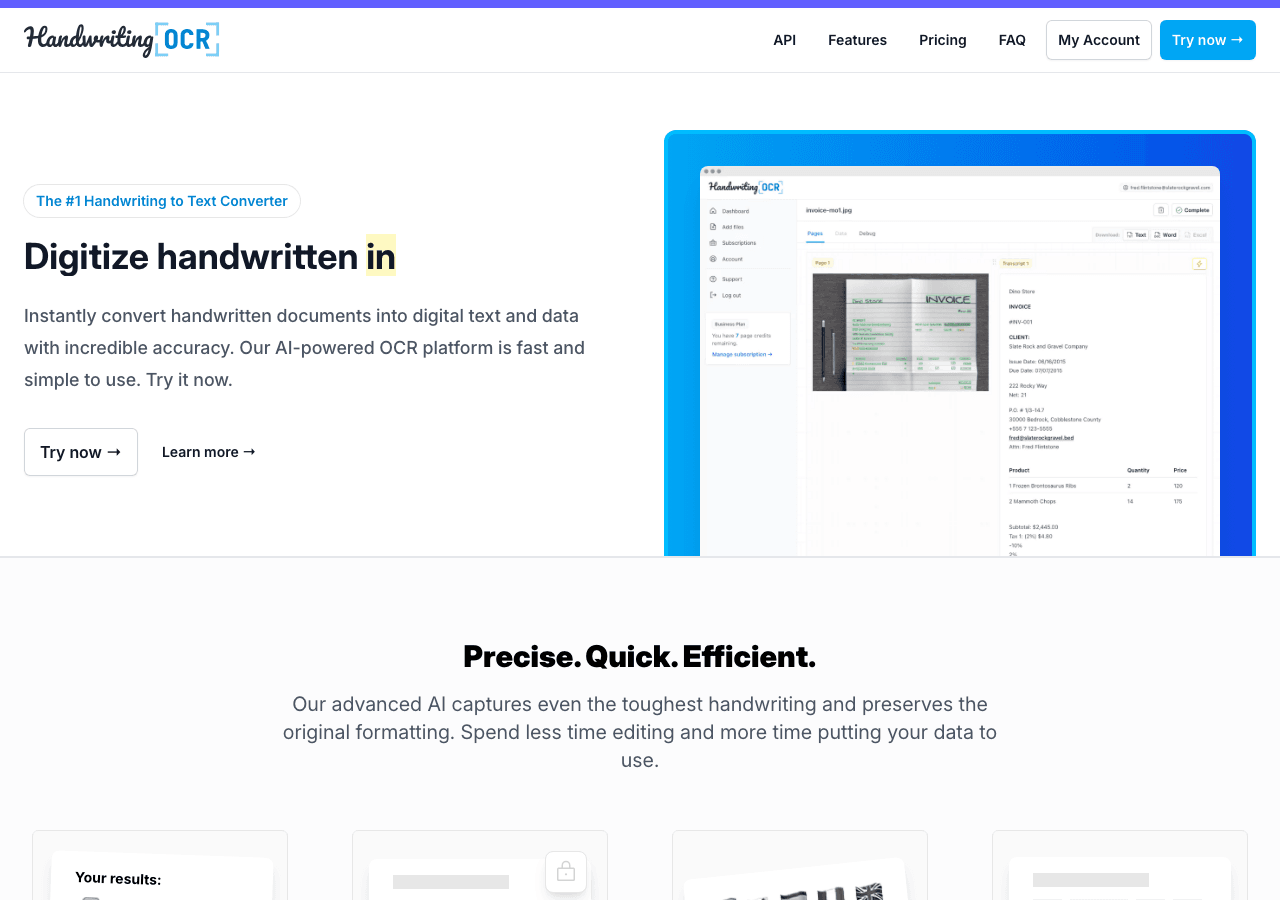
Turn messy handwriting into clean, digital text—accurately, securely, instantly.
Key Features
Automation-first workflows
Trigger-based flows keep work moving without extra check-ins.
Data-driven decision support
Decision-makers get real-time context without waiting on manual reporting. Handwriting Knowledge, automation, and collaboration help support teams maintain SLAs. Handwriting Be the first to rate this tool! “Turn messy handwriting into clean, digital text—accurately, securely, instantly.” Key facts we track so you can judge fit before visiting the provider. Listing data is compiled from structured provider information, public signals, submissions, and periodic checks where available. Treat this page as a shortlist aid, then verify pricing, compliance, and product limits with the provider before making a business-critical decision. Understanding the core functionality and approach of Handwriting OCR. Pay-as-you-go pricing means Handwriting OCR costs scale with your actual usage. No wasted spend on unused seats or features you don't need yet. Usage-based billing in Handwriting OCR makes cost modeling important before production rollout. Explore what makes Handwriting OCR stand out. Official API docs and clear auth flows—ideal for custom automations. Handwriting OCR focuses on automation; test it on one repetitive workflow before moving critical work into it. Trigger-based flows keep work moving without extra check-ins. Decision-makers get real-time context without waiting on manual reporting. Handwriting OCR includes analytics/reporting signals; check whether the available metrics match your decision process. Knowledge, automation, and collaboration help support teams maintain SLAs. Handwriting OCR can help customer-facing teams if its AI outputs stay grounded in approved support material. Discover how different audiences leverage Handwriting OCR. Engineering keeps ownership of customization while leveraging managed AI capabilities. Bots, rules, and triggers ensure nothing gets stuck in manual queues. Self-service analytics reduces the backlog on central BI teams. Stay updated with the latest news and insights about Handwriting OCR and the AI industry. See how Handwriting OCR stacks up against similar alternatives in the market. The all-in-one AI workspace that takes notes, searches apps, and builds workflows where you work. Providers can update product facts, pricing context, screenshots, and launch notes. Paid placements are labeled separately and do not replace editorial or data-quality review. Compare Handwriting OCR with Mathpix and other alternatives before you decide. The goal is not to pick the most popular product; it is to find the tool that fits your actual workflow, risk level, and budget. Review the API documentation for auth, rate limits, errors, and export behavior. For broader context, browse more search & discovery tools for software developers, or compare this page against the category hub. New to AI tool evaluation? Start with AI Tool Navigator. Help others discover Handwriting OCR by sharing it on your favorite platforms. Found incorrect information or have concerns about Handwriting OCR? Let us know. Get a structured 3-5 tool recommendation, pricing comparison, and implementation roadmap for your team.Support & service excellence
Rate this Tool
About Handwriting OCR
Handwriting OCR Snapshot
Before you choose Handwriting OCR
What to verify
How Handwriting OCR Works
Key Features
RESTful API integration
Automation-first workflows
Data-driven decision support
Support & service excellence
Use Cases
Enhance developer productivity
Automate repeatable work
Analytics acceleration
FAQ about Handwriting OCR
What is Handwriting OCR and what does it do?
How much does Handwriting OCR cost?
What platforms does Handwriting OCR support?
How can I try Handwriting OCR before purchasing?
What file formats does Handwriting OCR support?
Who develops and maintains Handwriting OCR?
How do I get access to Handwriting OCR?
What deployment options does Handwriting OCR offer?
Who is Handwriting OCR best suited for?
Does Handwriting OCR receive regular updates?
Related AI News & Insights
Nvidia's Flora Open-Source Engine Slashes Robot Video Annotation Costs by 125x Compared to GPT-6 Astra
Compare Similar Tools
Notion AI
Keep Handwriting OCR's listing accurate
How to Evaluate Handwriting OCR
Share Handwriting OCR
Report an Issue
Need a tool shortlist for a real business use case?


Facts & Trust
Pricing and key facts stay visible first; expand compliance, specs, and provider details when you need deeper due diligence.
Figures above in this panel are rounded for quick orientation. Sign in for exact visits, rank breakdown, and engagement metrics.
Expert Insight
Albert Schaper(Artificial Intelligence, AI Tools)
Albert Schaper has assessed Handwriting OCR for Search & Discovery. Given Albert Schaper's expertise in artificial intelligence, this tool is particularly recommended for software developers who prioritize artificial intelligence capabilities.
Pricing & Plans
Pricing: paid from $19 / month(Updated October 2026)
Pay-as-you-go $15 per 100 pages (credits valid 1 year). Monthly billing: Starter $19/month (250 pages), Pro $59/month (1,000 pages), Business $499/month (10,000 pages); annual billing is cheaper ($16/$50/$416 per month). Additional pages $8/$6/$5 per 100 on Starter/Pro/Business. Free trial.
Handwriting OCR makes search & discovery accessible through its free tier, designed for software developers who want to try before buying. The free plan covers essential functionality that's sufficient for personal projects and learning. Paid subscriptions provide access to advanced tools, higher capacity, and enhanced support for software developers with complex search & discovery needs.
Need Help Finding the Right Tool?
Looking for alternatives to Handwriting OCR or similar tools? Use our AI chatbot to find the right solution for your needs.
Facts & Trust
Pricing and key facts stay visible first; expand compliance, specs, and provider details when you need deeper due diligence.
Figures above in this panel are rounded for quick orientation. Sign in for exact visits, rank breakdown, and engagement metrics.