
- Favorites
- 0
- Pricing
- Starts at $0 / month
- Platform
- Plugin/Integration
- Best for
- Product Managers / Business Executives
- Data status
- Verified listing
Overview
ChatGPT Add-in for Outlook is a third-party tool that integrates ChatGPT into Microsoft Outlook using your own API key. It enables running ChatGPT on inbox messages or while composing emails with custom prompts to enhance email handling. Requires Microsoft 365 account; team and custom versions available.
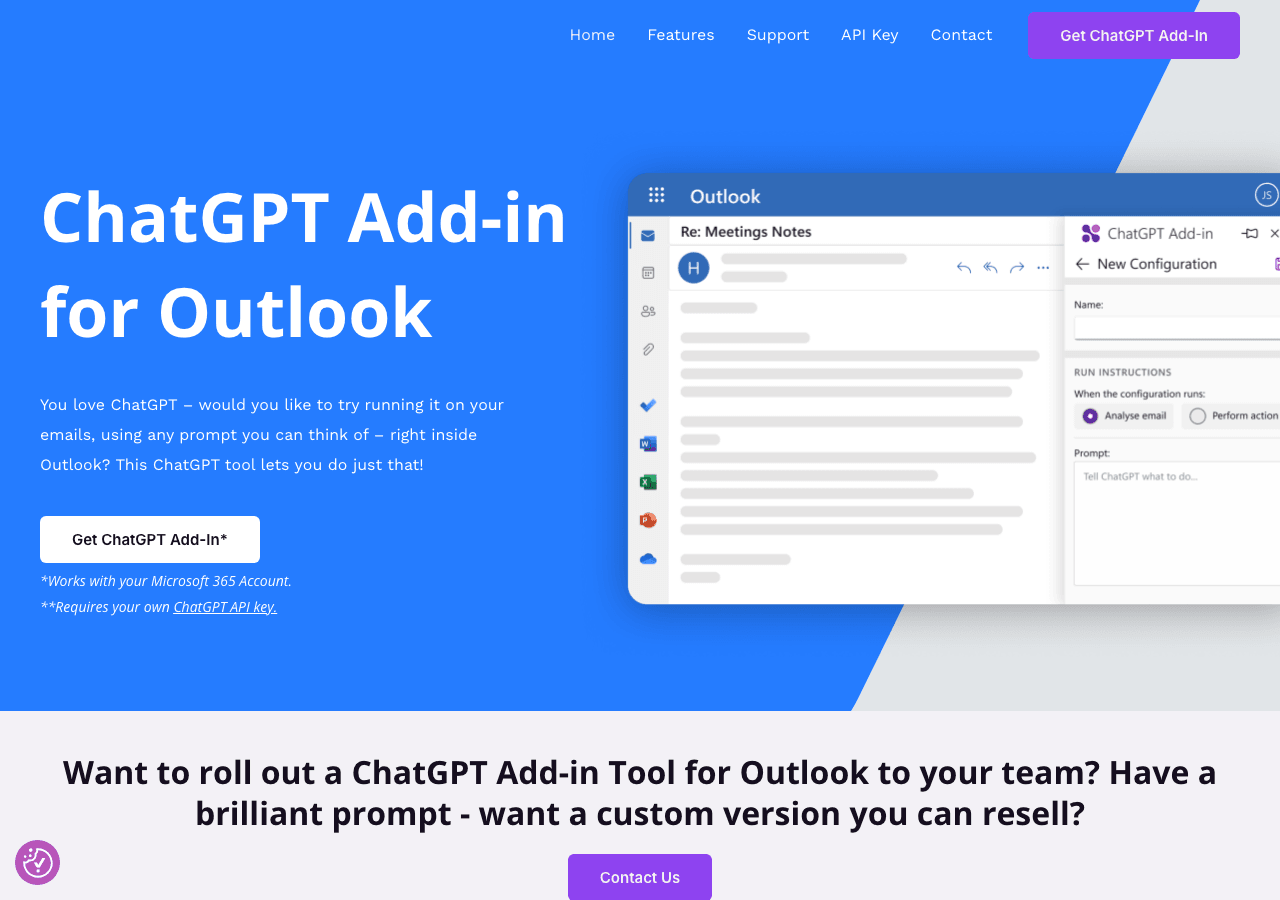
Enhance your Outlook experience with AI-powered ChatGPT
Facts & Trust
Pricing and key facts stay visible first; expand compliance, specs, and provider details when you need deeper due diligence.
Figures above in this panel are rounded for quick orientation. Sign in for exact visits, rank breakdown, and engagement metrics.
Key Features
Personalized AI interactions
The AI adapts to your communication style and preferences over time. Currently optimized for Plugin/Integration.
Tooling for engineering teams
Type-safe SDKs provide autocomplete and compile-time checks for faster development.
Reduce manual work
ChatGPT for Outlook coordinates processes across teams so automation handles repetitive tasks. Workflow automation in Ch
Expert Insight
Albert Schaper(Artificial Intelligence, AI Tools)
Albert Schaper has analyzed ChatGPT for Outlook for Conversational AI. With expertise in artificial intelligence, Albert Schaper identifies this tool as especially effective for product managers requiring artificial intelligence functionality.
Pricing & Plans
Pricing: starts at $0 / month(Updated February 2026)
The tool offers a free trial with subscription-based pricing plans for individual users and businesses.
Usage Model: API Calls, Pay-as-You-Go — ensuring you only pay for what you actually use.
The free tier of ChatGPT for Outlook provides product managers with a risk-free way to experience conversational ai capabilities. Free users get access to fundamental features that are perfect for learning and basic workflows. Paid subscriptions unlock advanced tools, increased capacity, and professional features tailored for product managers with complex conversational ai needs.
Rate this Tool
Be the first to rate this tool!
About ChatGPT for Outlook
“Enhance your Outlook experience with AI-powered ChatGPT”
ChatGPT for Outlook Snapshot
Key facts we track so you can judge fit before visiting the provider.
- Primary category
- Conversational AI
- Best fit
- Product Managers, Business Executives, Remote Workers +2 more
- Platforms
- Plugin/Integration
- Pricing signal
- Free - $0 / month
- Provider context
- ChatGPT for Outlook - GB
- Developer access
- Python, JavaScript/TypeScript
- Data handling
- Global hosting
- Evidence signals
- 4.5K monthly visits, Verification metadata recorded
Before you choose ChatGPT for Outlook
- Confirm ChatGPT for Outlook's current limits, renewal terms, and seat pricing on the official site.
- Verify privacy, retention, and data-processing terms before using sensitive data.
- Run a small pilot with your real workflow before adopting it as a core tool.
- Make sure the supported platform matches where your team actually works.
What to verify
- Privacy policy, retention terms, and data-processing details should be checked with the provider.
- Integration depth is unclear; test import/export, API access, or workflow handoff before relying on it.
Listing data is compiled from structured provider information, public signals, submissions, and periodic checks where available. Treat this page as a shortlist aid, then verify pricing, compliance, and product limits with the provider before making a business-critical decision.
How ChatGPT for Outlook Works
Understanding the core functionality and approach of ChatGPT for Outlook.
ChatGPT for Outlook charges based on real activity, making it ideal for variable workloads. Budget planning becomes simpler when costs directly reflect output volume. Usage-based billing in ChatGPT for Outlook makes cost modeling important before production rollout.
Key Features
Explore what makes ChatGPT for Outlook stand out.
Personalized AI interactions
The AI adapts to your communication style and preferences over time. Currently optimized for Plugin/Integration.
Tooling for engineering teams
Type-safe SDKs provide autocomplete and compile-time checks for faster development.
Reduce manual work
ChatGPT for Outlook coordinates processes across teams so automation handles repetitive tasks. Workflow automation in ChatGPT for Outlook can reduce manual steps when the triggers and handoffs match your process.
Use Cases
Discover how different audiences leverage ChatGPT for Outlook.
Automated help desk
Reduce support ticket volume by answering FAQs automatically around the clock. Support teams should test ChatGPT for Outlook on real tickets to measure answer quality, handoff accuracy, and SLA impact.
Enhance teaching & learning
Educators use ChatGPT for Outlook to create lesson plans, generate practice exercises, and provide personalized feedback.
Launch faster as a startup
Solo founders and small teams get enterprise-grade capabilities without enterprise pricing.
FAQ about ChatGPT for Outlook
What is ChatGPT for Outlook and what does it do?
How much does ChatGPT for Outlook cost?
What platforms does ChatGPT for Outlook support?
How can I try ChatGPT for Outlook before purchasing?
What file formats does ChatGPT for Outlook support?
Who develops and maintains ChatGPT for Outlook?
How do I get access to ChatGPT for Outlook?
How is usage measured and billed in ChatGPT for Outlook?
What deployment options does ChatGPT for Outlook offer?
Who is ChatGPT for Outlook best suited for?
Related AI News & Insights
Stay updated with the latest news and insights about ChatGPT for Outlook and the AI industry.
Compare Similar Tools
See how ChatGPT for Outlook stacks up against similar alternatives in the market.

ChatGPT
AI research, productivity, and conversation—smarter thinking, deeper insights.

AutoGPT
Build, deploy, and manage autonomous AI agents – automate anything, effortlessly.

Keep ChatGPT for Outlook's listing accurate
Providers can update product facts, pricing context, screenshots, and launch notes. Paid placements are labeled separately and do not replace editorial or data-quality review.
How to Evaluate ChatGPT for Outlook
Compare ChatGPT for Outlook with MailMaestro, AI Perfect Assistant, Copilot and other alternatives before you decide. The goal is not to pick the most popular product; it is to find the tool that fits your actual workflow, risk level, and budget.
- Step 1Test ChatGPT for Outlook with one real workflow before moving important work into it.
- Step 2Model the full monthly cost at your expected usage, including seats, limits, and overages.
- Step 3Verify the integration path with your existing stack before you commit.
- Step 4Review privacy, retention, and compliance terms before using sensitive data.
For developer teams, inspect the Python SDK and JavaScript/TypeScript support. For broader context, browse more conversational ai tools for product managers, or compare this page against the category hub. New to AI tool evaluation? Start with AI Tool Navigator.
Share ChatGPT for Outlook
Help others discover ChatGPT for Outlook by sharing it on your favorite platforms.
Report an Issue
Found incorrect information or have concerns about ChatGPT for Outlook? Let us know.
Need a tool shortlist for a real business use case?
Get a structured 3-5 tool recommendation, pricing comparison, and implementation roadmap for your team.
Need Help Finding the Right Tool?
Looking for alternatives to ChatGPT for Outlook or similar tools? Use our AI chatbot to find the right solution for your needs.